
Navigating global time zones can feel like a constant battle for remote workers, but it doesn't have to be. We're diving deep into the trending strategies and smart tools digital nomads are using to conquer the clock, boost productivity, and truly thrive from anywhere on Earth.
The sun was just beginning to paint the sky in fiery oranges and purples over the rice paddies of Canggu, Bali. My alarm buzzed at 5 AM, a time I'd usually reserve for deep slumber. But today, it was my cue to join a critical team meeting with colleagues spread across London, New York, and Sydney. I brewed a strong Balinese coffee, adjusted my laptop on the wooden desk, and tried to summon my most alert, professional self. The problem? My brain was still trying to process the fact that it was technically 2 PM the previous day for my New York team.
You know the drill, right? The dream of working from anywhere often clashes with the harsh reality of time zones. That exhilarating freedom of a digital nomad lifestyle can quickly turn into a grueling cycle of late-night calls, early-morning sprints, and a constant, nagging feeling of being out of sync. For a long time, I felt like I was perpetually playing catch-up, my energy levels dictated by a global clock that simply refused to align.
But here’s the game-changer: the remote work landscape has evolved, and with it, a new generation of clever, actionable time zone hacks has emerged. These aren't just theoretical tips; they're trending strategies that digital nomads and global teams are actively using right now to reclaim their time, boost productivity, and genuinely enjoy their lives, no matter where they’ve planted their temporary roots. After years of trial and error (and more than a few missed alarms), I’ve refined my own playbook, and I’m here to share the absolute best strategies that are making waves in the remote work community. Get ready to beat the clock and embrace true location independence!
1. The Asynchronous Advantage: Reclaiming Your Time & Sanity
Forget the constant pressure of "real-time" communication. The biggest trend sweeping remote work is the shift towards asynchronous (async) communication. This means you’re not always expected to be online at the same time as your colleagues. Instead, you communicate and collaborate in a way that allows each team member to respond and contribute on their own schedule. It’s a liberation, especially when your team spans continents.
Why it's trending: The pandemic forced many teams to go remote, highlighting the inefficiencies of synchronous-only work across diverse time zones. Forward-thinking companies realized that true flexibility means empowering employees to work when they're most productive, not just when others are online.
Practical Tips & My Experience:
- Video Messages (Loom, Vidyard): Instead of a live meeting, record a quick video explaining updates, giving feedback, or posing questions. Your team can watch it on their own time. I swear by Loom for quick client updates – it adds a personal touch without the scheduling headache. I remember once, while exploring the vibrant markets of Marrakech, I recorded a detailed project brief for my EU-based team. They watched it later that evening, and by the time I woke up, their feedback was waiting. Pure magic!
- Detailed Documentation (Notion, Confluence): Document everything! Project briefs, decisions, meeting notes – make them accessible and searchable. This reduces repetitive questions and ensures everyone has the info they need, regardless of their working hours.
- Smart Collaboration Tools (Slack, Microsoft Teams): Use these for delayed communication. Set clear expectations that not all messages require an immediate reply. Leverage threads to keep conversations organized. I've found that setting a specific "response window" (e.g., "I'll respond to Slacks within 12 hours") works wonders for managing expectations.
- Project Management Platforms (Asana, Trello, ClickUp): These are your best friends for async work. Assign tasks with clear deadlines, leave comments, and track progress without needing to be in a live meeting.
This approach isn't just about avoiding calls; it's about respecting everyone's working rhythm and creating a more inclusive, less stressful global work environment.
2. Strategic Scheduling: The 'Follow the Sun' & Time Blocking Method
While async work handles many interactions, some synchronous meetings are unavoidable. This is where strategic scheduling comes into play, often combining the "Follow the Sun" model with personal time blocking.
Follow the Sun Explained: This is a strategy where work progresses through different time zones. As one team finishes their workday, they hand off tasks to a team in the next time zone, who then pick up the work and continue. While often used for larger global corporations, the spirit of it can be applied to smaller teams and individuals. For a remote worker, it means understanding when your core team is active and aligning your most collaborative work during those overlaps, while dedicating other hours to deep, focused work.
Time Blocking for Clarity: This is my personal secret weapon. I dedicate specific blocks of time in my calendar for different types of work:
- Deep Work: Mornings are typically my most productive, so I block out 3-4 hours for focused tasks that require concentration, before the world (and my team) fully wakes up.
- Communication & Collaboration: I identify a 2-3 hour window that overlaps with my most critical team members/clients. This is when I schedule meetings, respond to urgent messages, and actively collaborate.
- Personal Time/Exploration: Crucially, I block out time for myself! Whether it’s hitting the surf in Taghazout, Morocco, or exploring the ancient ruins of Palenque, Mexico, this time is non-negotiable.
Tools & My Experience:
- Calendly/SavvyCal: These tools are lifesavers. You set your available hours, and clients/colleagues can book a slot that works for them, automatically converting to their time zone. No more endless email chains trying to find a common time!
- World Clock Meeting Planner: A simple Google search will bring up several free tools that let you input multiple cities and instantly see the optimal meeting times.
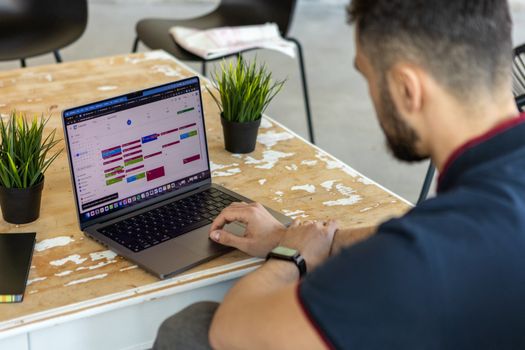
- Google Calendar's Time Zone Features: Always display multiple time zones in your calendar. It's a small change that makes a huge difference in situational awareness.
I remember my time in Lisbon, Portugal. My main clients were in New York and California. I'd wake up early, enjoy a quiet morning working from a charming café in Alfama, soaking in the city before the tourists arrived. By 2 PM, I'd switch gears, head to a co-working space, and dive into calls with my US clients until early evening. This structure allowed me to enjoy long, sun-drenched afternoons exploring the city's hidden gems and still be highly effective for my team. It was the perfect blend of work and wanderlust.
3. Tech Tools & Smart Apps: Your Digital Time Zone Allies
In the age of digital nomadism, technology is your co-pilot. There's an app for almost everything, and time zone management is no exception. Leveraging the right tools can simplify complex scheduling and keep you aware of global times at a glance.
Must-Have Apps & My Go-To's:
- Native World Clock (macOS/Windows/iOS/Android): Don't underestimate the power of your device's built-in world clock. Pin your key time zones (home, team, client) for quick reference. It’s basic but essential.
- Time Buddy / World Time Buddy: These web and mobile apps are brilliant for visualizing time overlaps and finding convenient meeting times across multiple locations. You can add as many cities as you need and see at a glance who's awake and when. I used Time Buddy extensively while coordinating a global launch with team members in Tokyo, Berlin, and Buenos Aires from my apartment in Medellín, Colombia. It made what could have been a nightmare, incredibly smooth.
- Google Calendar: Its ability to display multiple time zones and automatically adjust event times is invaluable. Always double-check the time zone when creating or accepting invites!
- Slack/Teams Integrations: Many time zone apps integrate directly with your communication platforms, allowing you to quickly check a colleague's local time without leaving your chat window.
These tools aren't just conveniences; they're critical for preventing miscommunications, missed meetings, and the mental fatigue of constant time zone calculations. They give you the clarity you need to operate globally with confidence.
4. The Power of Proactive Communication: Setting Expectations
No tool, no matter how sophisticated, can replace clear, proactive human communication. This is arguably the most important "hack" for successful time zone management. Setting expectations is key to avoiding frustration for both you and your team.
Actionable Communication Tips:
- Update Your Profiles & Signatures: Make your current time zone and working hours visible. Add it to your email signature, Slack/Teams profile, and project management tools. A simple "Currently in GMT+7, active 8 AM - 4 PM" can prevent so much confusion.
- Set Availability in Calendars: Clearly mark your "working hours" in Google Calendar or Outlook. This often grays out times outside your availability, signaling to others when you might not be responsive.
- Over-Communicate (Initially): When starting with a new team or in a new location, explicitly state your working rhythm. "I'll be online for calls from 3 PM - 7 PM EST to accommodate our US clients, and then focusing on deep work during my mornings here in Berlin."
- Batch Responses: Let your team know you'll be checking messages at specific intervals rather than constantly. This allows you to focus without interruption.
- Delegate & Empower: If you're a manager, empower your team to make decisions without your immediate input. This reduces bottlenecks caused by time zone differences.
I learned this the hard way. Early in my remote work journey, I was in Vietnam, and my US-based team kept scheduling meetings for what was 1 AM my time. I’d show up groggy and unproductive. Once I explicitly communicated my availability and proposed alternative solutions (like async updates or a rotating meeting slot), the issue vanished. It was a simple fix, but it required me to be assertive about my boundaries. Remember, you’re in control of your schedule, not the other way around.
5. Bio-Hacking Your Body Clock: Beating Jet Lag & Burnout
Managing time zones isn't just about work; it's about managing your body and mind. Constant travel and shifting schedules can lead to chronic jet lag and burnout. These trending bio-hacks focus on optimizing your physical and mental well-being to stay sharp, no matter the time difference.
My Go-To Bio-Hacks:
- Strategic Light Exposure: This is the most powerful tool for resetting your circadian rhythm.
- Eastward Travel (ahead in time): Seek morning sunlight at your destination. Avoid bright light in the evening.
- Westward Travel (behind in time): Get plenty of evening light. Wear sunglasses in the morning to delay light exposure.
- Personal Anecdote: Landing in Kyoto, Japan, after a long flight from Europe, I immediately headed out for a walk through the Arashiyama Bamboo Grove at sunrise. The fresh air and natural light exposure helped me quickly adjust to JST.
- Melatonin (Use Sparingly): A small dose (0.5-1mg) can help signal to your body that it's time to sleep. Take it about 30 minutes before your desired bedtime in your new time zone. Consult a doctor before use.
- Hydration & Nutrition: Dehydration exacerbates jet lag. Drink plenty of water, and avoid heavy, sugary, or overly processed foods, especially during travel.
- Strategic Napping: If you absolutely need a nap, keep it short (20-30 minutes) and early in the day to avoid disrupting nighttime sleep.
- Gradual Adjustment: If possible, start shifting your sleep schedule by an hour or two each day for a few days before you travel. This pre-adjustment can significantly reduce the shock to your system.
- Exercise: Even a light walk can boost energy and help regulate sleep. I often find a local gym or go for a run along the beach in Tel Aviv to shake off travel fatigue.
Prioritizing your physical well-being isn't a luxury; it's a necessity for sustainable remote work. When you feel good, you perform better, regardless of what time zone your calendar says it is.
6. The Nomad's Secret Weapon: Strategic Location Choices & Co-working Spaces
Not all remote work hubs are created equal when it comes to time zones. Savvy digital nomads are now strategically choosing locations that offer a sweet spot for their work demands, and leveraging co-working spaces to create routine and community.
Strategic Location Choices:
- Time Zone Overlaps: If your primary clients or team are in the US, being in Central or South America (like Mexico City or Medellín) offers minimal time zone differences. If your core team is in Europe, places like Lisbon, Budapest, or even Cape Town, South Africa, offer manageable overlaps.
- Established Nomad Infrastructure: Locations with a high concentration of digital nomads often have services tailored to remote workers, including reliable internet, co-working spaces, and a shared understanding of time zone challenges.
The Magic of Co-working Spaces:
- Routine & Structure: When you’re constantly traveling, a co-working space provides a much-needed sense of routine. You have a dedicated place to "go to work," separating your work life from your travel adventures.
- Community & Networking: Co-working spaces are fantastic for connecting with other remote workers who understand your unique challenges. You might even find a "time zone buddy" who has similar work hours.
- Reliable Amenities: Most co-working spaces offer high-speed internet, ergonomic chairs, meeting rooms, and often, free coffee. This is invaluable compared to the hit-or-miss nature of hotel Wi-Fi or noisy cafes.
My Experience & Specifics: I've paid anywhere from $80/month for unlimited access at a lively co-working space in Chiang Mai, Thailand (shoutout to Punspace!), to $200/month for a more upscale, quiet environment in Lisbon, Portugal (like Second Home Lisboa, overlooking the Tagus River). In Mexico City, I found a fantastic spot called WeWork Reforma that had dedicated "quiet zones" perfect for my early morning deep work before the city's energy fully kicked in, allowing me to manage calls with European clients later in the day. These spaces aren't just offices; they're communities that understand the unique demands of global remote work.
Choosing a location that aligns with your work schedule, and then finding a co-working space to ground yourself, can be the ultimate power move for a truly sustainable and enjoyable remote lifestyle.
Conquer the Clock, Embrace the World
The dream of working from a beach in Bali, a mountain lodge in Patagonia, or a bustling café in Rome is more attainable than ever. But true freedom isn't just about the location; it's about mastering the logistical challenges that come with it. By embracing these trending time zone hacks – from asynchronous communication and strategic scheduling to bio-hacking your body and choosing your locations wisely – you can transform the way you work.
No more sacrificing sleep, feeling constantly out of sync, or missing out on incredible travel experiences. These strategies empower you to work efficiently, stay connected with your team, and still have ample time to explore, learn, and live life to the fullest. The clock doesn't have to be your enemy; it can be your ally.
So, what are your favorite time zone hacks? Have you discovered a new app or a unique strategy that's changed your remote work game? Share your wisdom in the comments below! And if this guide has given you the confidence to finally book that flight, don't forget to share it with your fellow remote adventurers!
More pictures




Tags
Share this guide
We may earn a commission if you click a link and buy a product or service, at no extra cost to you. How affiliate links work.
Been there?