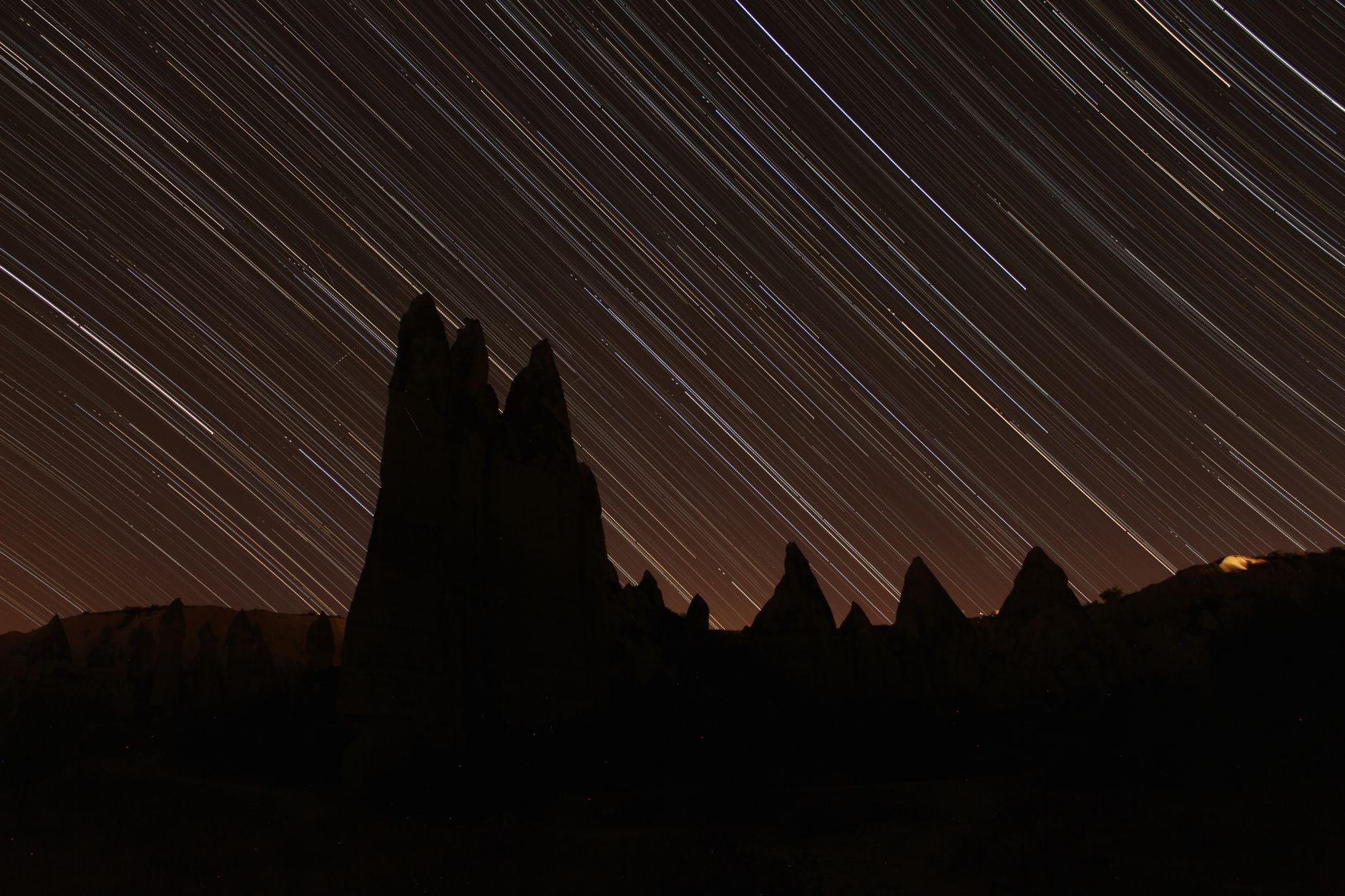
Imagine transforming hours of travel into a mesmerizing few seconds – that's the magic of time-lapse. This guide will equip you to create stunning travel time-lapses, giving your adventures a unique, cinematic edge before this trend explodes. Get ready to capture the world like never before! ---
Unlock Travel Magic: Time-Lapse Videos Before They Go Viral!
I remember standing on a rooftop in Medellín, Colombia, the city sprawling beneath me, bathed in the last golden rays of sunset. The sky was a canvas of evolving colors, the city lights flickering on one by one, and the traffic a frantic ballet of red and white. I was mesmerized, but a single photo couldn't capture the dynamism, the sheer life of that moment. A video felt too long, too ordinary. That's when it hit me: a time-lapse.
I set up my camera, a bit clumsily at first, and let it click away for an hour. The result? A breathtaking 15-second clip that condensed the entire transformation into a fluid, almost magical sequence. It wasn't just a video; it was an experience, a memory encapsulated in a way no other medium could achieve. Every time I watch it, I'm transported back to that warm Colombian evening, feeling the pulse of the city.
That’s the power of time-lapse, my fellow wanderers. It’s the secret sauce for capturing the very essence of your travels – the fleeting moments, the grand transformations, the hidden rhythm of a place – and presenting them in a way that’s utterly captivating. And here’s the best part: it’s still relatively niche. While everyone’s snapping photos and shooting quick smartphone videos, you can be the one creating cinematic masterpieces that truly stand out. Trust me, you want to get in on this before it becomes mainstream.
Ready to elevate your travel content and make your friends wonder how you did it? Let's dive in!
Section 1: Why Time-Lapse? The Magic No One's Tapping Into (Yet!)
So, why bother with time-lapse when a quick video or a stunning photo can do the trick? Because time-lapse does something fundamentally different: it compresses time, revealing patterns and beauty that are invisible to the naked eye.
Think about it:
- Sunrise over Angkor Wat: A photo freezes one glorious moment. A video is long and might miss the subtle color shifts. A time-lapse shows the sun majestically climbing, painting the sky in ever-changing hues, the ancient temples slowly emerging from the pre-dawn gloom. It’s an epic narrative in seconds.
- The Bustle of Tokyo's Shibuya Crossing: A photo is a snapshot of chaos. A regular video is just… well, people walking. A time-lapse transforms the dense crowd into a swirling river of humanity, a mesmerizing dance that highlights the sheer energy of the city.
- Clouds rolling over the Dolomites: You see them move slowly. A time-lapse makes them race across the peaks, creating dramatic shadows and light plays that are truly artistic.
Time-lapse isn’t just about showing what happened; it’s about showing how it happened, the process, the transformation. It adds a layer of depth and artistry to your travel stories that few other techniques can match. It makes the mundane magical and the extraordinary unforgettable. And in a world saturated with travel content, being able to offer something truly unique is your golden ticket. Be a trendsetter, not a follower!
Section 2: The Gear You Really Need (And What You Can Skip)
Don't let gear anxiety stop you. While professional rigs can cost a fortune, you can absolutely get started with what you likely already have or with a few smart, budget-friendly additions.
Here's the breakdown:
- Your Camera:
- DSLR or Mirrorless Camera (Recommended): This is your best bet for high-quality, flexible time-lapses. Cameras like the Sony a6000 series, Canon Rebel series, or Nikon D3500 are fantastic entry points. They offer manual control, excellent low-light performance, and the ability to shoot in RAW (more on that later). Most modern DSLRs/mirrorless cameras have a built-in intervalometer feature, saving you extra gear.
- GoPro (Great for Action/Durability): Perfect for rugged adventures, underwater shots, or mounting in tricky spots. Newer GoPros (Hero 7 Black and up) have excellent built-in time-lapse and even hyperlapse modes. The image quality is good, but less flexible than a DSLR.
- Smartphone (Entry-Level/Convenience): Surprisingly capable! Most modern smartphones have a built-lapse mode. While you won't get the same control over settings or low-light performance as a dedicated camera, it's perfect for casual, spontaneous time-lapses. Apps like "Lapse It" or "Hyperlapse" can expand your capabilities.
- The Indispensable Tripod:
- Absolutely non-negotiable. Your camera needs to be rock-solid still for the entire duration of the time-lapse.
- Full-Size Travel Tripod: Look for lightweight carbon fiber options from brands like Manfrotto, Peak Design, or even more affordable K&F Concept. My trusty Manfrotto BeFree Advanced has been to over 30 countries and still performs flawlessly. Expect to pay anywhere from $100-$300 for a good one.
- Mini Tripod/Flexible Tripod: For smaller cameras or smartphones, a Joby GorillaPod or a compact tabletop tripod is excellent. They're lightweight, versatile, and can be wrapped around poles or railings.
- Pro Tip: Always hang your backpack or a weight from the center column hook of your tripod for added stability, especially in windy conditions. I learned this the hard way on a blustery cliff edge in Ireland – nearly lost my camera!
- Intervalometer (If Not Built-In):
- This device tells your camera to take a photo at specific intervals (e.g., every 5 seconds).
- Built-in: Check your camera's menu! Most modern DSLRs/mirrorless cameras have this feature.
- External: If your camera doesn't have one, you can buy a wired or wireless remote intervalometer for around $20-$50. This is a must-have if you're serious about time-lapse with an older camera.
- Extra Batteries & Memory Cards:
- Time-lapses consume battery life like crazy, especially long ones. Always carry at least two spare, fully charged batteries.
- You'll be taking hundreds, if not thousands, of photos. A high-capacity (64GB or 128GB) and fast (UHS-I or UHS-II) SD card is crucial.
- Optional but Highly Recommended:
- ND Filters (Neutral Density): Like sunglasses for your camera. They allow you to use longer shutter speeds in bright daylight, creating beautiful motion blur (e.g., silky water, streaky clouds) in your individual frames, which translates wonderfully to time-lapse. A variable ND filter (ND2-400) is a great versatile option for travelers.
- Power Bank: If you're using a camera that can be charged via USB, a high-capacity power bank can extend your shooting time significantly, especially useful for overnight star time-lapses.
What you can skip: Expensive motion control sliders (for now!), fancy battery grips (unless you're shooting very long sequences), and specialized time-lapse apps for your DSLR (your built-in intervalometer is usually sufficient). Keep it lean, keep it light, keep it travel-friendly.
Section 3: Mastering the Shot: Settings & Techniques for Travelers
This is where the magic happens! Getting your settings right is paramount for a smooth, captivating time-lapse.
- Composition is King:
- Rule of Thirds: Place your main subject (e.g., a temple, a mountain peak) along the intersecting lines or at their points.
- Leading Lines: Use roads, rivers, or architectural elements to draw the viewer's eye into the scene.
- Foreground Interest: A flower, a rock, or a person in the foreground can add depth and scale.
- Movement: Identify what will move in your scene (clouds, people, traffic) and compose around it. A static foreground with a dynamic background often works best.
- Manual Mode is Your Best Friend:
- ALWAYS shoot in Manual (M) mode. Auto mode will adjust exposure between shots, leading to a horrible "flicker" effect in your final video.
- ISO: Keep it as low as possible (e.g., ISO 100 or 200) for clean images, especially in daylight. Only increase it for low-light situations like starry nights.
- Aperture (f-stop): Choose an aperture that gives you the desired depth of field. For landscapes, f/8 to f/11 is a good starting point to ensure everything from foreground to background is sharp.
- Shutter Speed: This is crucial for motion blur.
- For silky water or streaky clouds during the day, aim for a shutter speed that is roughly half your interval (e.g., if your interval is 5 seconds, try a 2.5-second shutter speed). You'll likely need an ND filter for this.
- For general cityscapes or sunsets, a faster shutter speed (e.g., 1/100th to 1/10th of a second) will freeze individual moments more.
- For night shots (stars), your shutter speed will be much longer (e.g., 15-30 seconds), dictated by the "500 rule" (500 divided by your focal length = max shutter speed before stars trail).
- White Balance: Set it manually (e.g., Daylight, Cloudy, or a specific Kelvin temperature). Do not leave it on Auto, or your colors will shift throughout the time-lapse.
- Focus: Set your focus manually and then lock it. Autofocus can hunt between shots, ruining your sequence. Focus about a third of the way into your scene for maximum sharpness.
- The All-Important Interval Selection:
- This determines how much time passes between each photo. The faster the movement, the shorter the interval.
- Fast-moving clouds, people, traffic: 1-3 seconds
- Sunsets, sunrises, slower cloud movement: 5-10 seconds
- Shadows moving across landscapes, construction: 10-20 seconds
- Stars, Northern Lights: 15-30 seconds (longer intervals mean more star trails, shorter mean more defined stars, but you need higher ISO).
- Pro Tip: A common formula: Desired video length (seconds) x Frame rate (usually 24 or 30 fps) x Interval (seconds) = Total shooting time.
- Example: 10-second video at 24fps with a 5-second interval = 10 x 24 x 5 = 1200 seconds = 20 minutes shooting time. This means you'll take 240 photos.
- Shoot in RAW (If Your Camera Allows):
- RAW files capture much more image data than JPEGs, giving you far greater flexibility in post-production to adjust exposure, color, and recover details without losing quality. It’s a game-changer for correcting minor exposure shifts or color imbalances.
- Battery Life & Memory:
- Always start with a full battery (or two!). Turn off your camera's LCD screen during the time-lapse to conserve power.
- Ensure your memory card has ample space. A 10-second time-lapse at 24fps requires 240 photos. If each RAW file is 25MB, that's 6GB of data for one short clip!
I remember my first attempt at a starry night time-lapse in the Sahara Desert. I set my interval for 10 seconds, but my shutter speed was 25 seconds. What did I get? Black frames for 15 seconds between each shot! Lesson learned: your shutter speed must be shorter than your interval. Don't make my mistakes!
Section 4: Location, Location, Location: Finding Your Time-Lapse Goldmine
The world is your studio! But some places just beg for a time-lapse. Here's how to scout for those perfect opportunities:
- Urban Pulse:
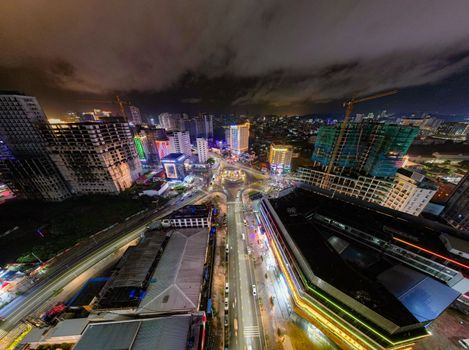
- City Skylines: Find a high vantage point (rooftop bar, observation deck, bridge) to capture the city lights coming alive at dusk or the sunrise painting the buildings. Try: Marina Bay Sands Skypark in Singapore (expect crowds, maybe a fee), the Brooklyn Bridge Park in NYC looking at Manhattan.
- Busy Intersections: The flow of traffic, pedestrians, and public transport is incredibly dynamic. Think: Shibuya Crossing in Tokyo, Times Square in NYC, or even a bustling market in Marrakech.
- Architectural Marvels: Capture the changing light and shadows on iconic buildings. Consider: The Eiffel Tower in Paris, St. Peter's Basilica in Rome, or the Burj Khalifa in Dubai.
- Nature's Grandeur:
- Sunrises & Sunsets: The classic time-lapse. Find an unobstructed view with interesting foreground elements. My favorite: Oia, Santorini (over the caldera) or the Grand Canyon (watching shadows crawl across the vast landscape).
- Clouds: Mountains, coastlines, or open plains offer dramatic cloud movement. Iceland's Ring Road offers endless opportunities for this.
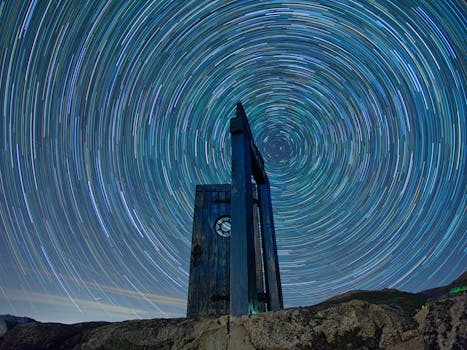
- Stars & Celestial Events: Away from light pollution, capture the Milky Way, star trails, or even meteor showers. This requires patience and very dark skies. Places like the Atacama Desert in Chile, national parks in the US (e.g., Big Bend, Joshua Tree), or remote parts of New Zealand are ideal.
- Water: Waves crashing, rivers flowing, or even ice melting. The rugged coastlines of Portugal or the fjords of Norway are perfect.
- Cultural Immersion:
- Markets & Festivals: Capture the vibrant energy, the setting up and packing down, the flow of people. Always be respectful and ask for permission if filming individuals. The Grand Bazaar in Istanbul or any local street market provides fantastic opportunities.
- Temples & Sacred Sites: Observe the slow rituals, the changing light on ancient stones. Angkor Wat, Cambodia, at dawn is a prime example.
Logistics & Ethics:
- Permission: Always check if photography/videography is allowed, especially in private venues or cultural sites. Some places may require a permit or charge a fee. (e.g., some national parks might have drone restrictions, or private observatories might require permission for long-term setups).
- Safety: Don't leave your gear unattended, especially in busy tourist areas. Be aware of your surroundings.
- Respect: Don't block pathways or views for others. Be discreet and mindful of people's privacy. A time-lapse of a crowd is one thing; focusing on an individual without consent is another.
- Weather: Check the forecast! Rain, extreme wind, or sudden temperature drops can ruin your gear or your shot. Bring rain covers and lens cloths.
My most challenging time-lapse was attempting to capture the Northern Lights in Iceland. It was -10°C, and my fingers were numb, but seeing the green ribbons dance across the sky and then compressing that into a few seconds of ethereal movement was worth every shiver. I learned to bring extra-thick gloves and use hand warmers inside my camera bag to keep the battery from dying too quickly!
Section 5: Post-Production Power-Up: Bringing Your Shots to Life
Taking the photos is only half the battle. The real magic often happens in post-production, where you transform a stack of images into a smooth, compelling video.
- Software Essentials:
- Image Editing (for RAW files):
- Adobe Lightroom Classic (Paid): The industry standard. You can apply edits to one photo and then sync them across all photos in your time-lapse sequence. This is crucial for consistent exposure, white balance, and color grading.
- Darktable/RawTherapee (Free): Excellent open-source alternatives if you're on a budget.
- Video Compilation & Editing:
- Adobe Premiere Pro / After Effects (Paid): Professional tools for compiling your images into a video, adding music, titles, and advanced effects.
- DaVinci Resolve (Free & Paid Studio Version): An incredibly powerful, professional-grade video editing suite with a robust free version. It's fantastic for time-lapses.
- LRTimelapse (Free & Paid Pro Version): Specifically designed for time-lapse, it integrates seamlessly with Lightroom and helps immensely with de-flickering and smoothing out exposure ramps (like day-to-night transitions). The free version is great for getting started.
- The Workflow – Step-by-Step:
- Import & Organize: Import all your RAW photos into Lightroom (or your chosen image editor). Create a new folder for each time-lapse sequence.
- Initial Edits (on ONE photo):
- Select the middle photo of your sequence.
- Adjust exposure, highlights, shadows, white balance, contrast, and clarity to your liking.
- Apply lens corrections (to remove distortion) and enable profile corrections.
- Crucial: Address any "flicker." Sometimes, even in manual mode, subtle exposure shifts can occur. LRTimelapse has tools to help with this, or you can manually adjust exposure slightly on individual frames if needed.
- Sync Edits: Once you're happy with your master photo, select all the photos in the sequence and sync the adjustments. This ensures a consistent look across all frames.
- Export as JPEGs: Export your edited RAW files as high-quality JPEGs. Make sure they are all the same resolution.
- Compile into Video:
- Open your video editing software (e.g., DaVinci Resolve).
- Import the sequence of JPEGs. Most software will recognize them as an image sequence and automatically turn them into a video clip.
- Set the frame rate (24 or 30 frames per second are common).
- De-flicker (if necessary): Some software has built-in de-flicker tools. LRTimelapse's visual de-flicker is excellent.
- Speed Ramps (Optional): You can slow down or speed up sections of your time-lapse for dramatic effect.
- Music & Sound Design: Choose music that complements the mood and pace of your time-lapse. Upbeat for cityscapes, ethereal for nature, epic for sunsets. Royalty-free music sites like Epidemic Sound or Artlist are fantastic resources. Don't underestimate the power of sound to elevate your visuals!
- Stabilization (if needed): If there was any slight movement of your tripod, some software can help stabilize it, but aim for rock-solid stability during shooting!
- Export Final Video: Export in a high-quality format (e.g., H.264, MP4) at your desired resolution (1080p, 4K).
My first time-lapse compilation was a mess of flickering light and inconsistent colors. I spent hours manually tweaking each photo. Then I discovered the power of syncing edits in Lightroom and the de-flickering tools in LRTimelapse. It was like magic! Suddenly, my amateur attempts looked professional. Don't be afraid of the learning curve; the payoff is immense.
Section 6: Beyond the Basics: Ethical Considerations & Creative Hacks
You've mastered the fundamentals. Now, let's talk about pushing boundaries and being a responsible, creative traveler.
- Ethical Filming & Respectful Travel:
- Public Spaces: While generally fine, be mindful. Don't set up your tripod in a way that blocks pathways, obstructs views for other tourists, or creates a nuisance.
- Private Property/Indigenous Lands: Always seek permission. Some places have cultural or religious sensitivities regarding photography. A simple "May I set up my camera here?" goes a long way.
- People: If your time-lapse features identifiable individuals prominently, consider their privacy. For general crowd shots, it's usually acceptable, but for close-ups or specific actions, a quick nod or "do you mind?" is always best practice. I once wanted to capture a time-lapse of a local artisan working in Vietnam, and after a polite request (and a small purchase), she was happy to let me set up my camera for a short while.
- Leave No Trace: Pack out everything you pack in. Don't disturb wildlife or natural environments for a shot.
- Weatherproofing & Gear Protection:
- Rain Covers: A cheap plastic rain cover (or even a shower cap!) can save your camera in unexpected downpours.
- Dust & Sand: Be extremely careful when shooting in dusty or sandy environments. Change lenses inside a bag or a clean area. Use a lens hood to protect the front element.
- Extreme Cold: Batteries drain faster. Keep spare batteries warm in an inside pocket.
- Extreme Heat: Overheating can be an issue. Provide shade for your camera if possible.
- Creative Hacks & Advanced Techniques:
- Hyperlapse (Moving Time-Lapse): Instead of a static camera, you move your camera a fixed distance between each shot. This creates a dizzying, dynamic effect as the world rushes past. It's incredibly challenging but visually stunning. Google "hyperlapse tutorial" for advanced techniques (it often involves calculating precise steps and using specialized software for stabilization).
- Holy Grail Time-Lapse (Day-to-Night / Night-to-Day): The ultimate challenge! Capturing the transition from bright daylight to dark night (or vice-versa) requires smoothly adjusting exposure settings (shutter speed, ISO, aperture) during the time-lapse. LRTimelapse is invaluable for this, as it helps "ramp" the exposure changes smoothly between frames.
- Drone Time-Lapse/Hyperlapse: If you have a drone (and the necessary permits/licenses!), aerial time-lapses offer a breathtaking perspective. Imagine a city unfolding beneath you, or clouds swirling over mountains from above.
- Focus Stacking for Time-Lapse: For extreme depth of field, take multiple photos at different focus points for each frame and combine them. Very advanced, but the results are incredible.
- Sharing Your Masterpiece:
- Instagram/TikTok: Short, punchy, high-impact time-lapses (15-60 seconds) work best. Use trending audio, relevant hashtags (#traveltimelapse #cinematictravel #explore #wanderlust #tripsora #travelvideo), and a strong caption.
- YouTube: Longer, more detailed time-lapses, perhaps combined with regular video clips or voiceovers, can thrive here.
- Your Blog/Website: Embed your time-lapses to showcase your unique perspective and enhance your travel stories.
Remember, the goal isn't just to make a time-lapse, it's to tell a story, evoke an emotion, and transport your viewer. Experiment, learn from your mistakes, and most importantly, have fun with it!
Conclusion: Your Adventure, Unlocked in Time
There you have it, fellow adventurers! The comprehensive guide to diving into the captivating world of travel time-lapse. From the simple magic of compressing time to the technical nuances of camera settings and the artistry of post-production, you now have the tools to create truly unforgettable travel content.
Don't wait for everyone else to catch on. Be a pioneer. Be the one who captures the vibrant pulse of a city, the serene dance of the stars, or the breathtaking sweep of a sunset in a way that makes viewers gasp. Time-lapse isn't just a technique; it's a new lens through which to see and share your world.
So, grab your gear, scout your next incredible location, and start experimenting. Your next travel masterpiece is just a few hundred clicks away.
Now it's your turn! What incredible travel moments are you eager to capture with time-lapse? Share your ideas, your favorite spots, or your first attempts with us in the comments below! And when you create your first stunning time-lapse, be sure to tag @Tripsora and use #TripsoraTimeLapse – we can't wait to see your magic unfold!
---
More pictures
Tags
Share this guide
We may earn a commission if you click a link and buy a product or service, at no extra cost to you. How affiliate links work.
Been there?