
Ever wondered how travel influencers get those jaw-dropping shots that stop your scroll? It's not just the destination – it's the magic of editing! Dive into our ultimate guide to the photo editing apps that will elevate your travel photos from ordinary snapshots to viral masterpieces by October 2025. ---
Future-Proof Your Feed: The Ultimate Guide to Travel Photo Editing Apps for October 2025
Let's be real: we've all been there. You're standing on the precipice of an incredible vista – maybe the sun is setting over the caldera in Santorini, painting the sky in fiery hues, or you're lost in the bustling, neon-lit streets of Tokyo. You snap a photo, convinced you've captured pure magic. Then you look at your phone screen, and… meh. The colors are flat, the shadows are too dark, and that random tourist just photobombed your perfect shot.
I know that feeling all too well. I remember my first trip to Iceland. The landscapes were otherworldly – glaciers, black sand beaches, waterfalls cascading like liquid silver. But when I looked at my photos later, they just didn't convey the epic scale or the raw emotion of being there. My unedited shots looked, frankly, a bit beige. I was devastated. That’s when I realized: a great camera (or smartphone) is just the first step. The real transformation happens after the click.
Fast forward to October 2025, and the world of mobile photo editing has not just evolved; it's practically had a glow-up montage! What was once a niche skill for professional photographers is now accessible to anyone with a smartphone, thanks to an incredible array of apps. These aren't just filters anymore; we're talking about AI-powered wizardry, intuitive interfaces, and tools that can turn your 'meh' into 'Mamma Mia!'
So, whether you're a seasoned digital nomad, an aspiring travel blogger, or just someone who wants to cherish their memories in their most vibrant form, this guide is for you. I've scoured the digital landscape, put countless apps to the test on my own adventures (from the bustling souks of Marrakech to the tranquil beaches of the Maldives), and distilled everything you need to know about the best photo editing apps that will truly transform your travel pics by October 2025. Get ready to make your friends wonder if you secretly hired a professional photographer!
---
The Unshakeable Pillars: Essential All-Rounders for Every Traveler
Let’s start with the heavy hitters, the apps that form the backbone of any serious travel photographer's toolkit. These are the ones I reach for almost daily, no matter where I am in the world. They offer a comprehensive suite of tools, from basic adjustments to advanced color grading, and they do it with remarkable precision.
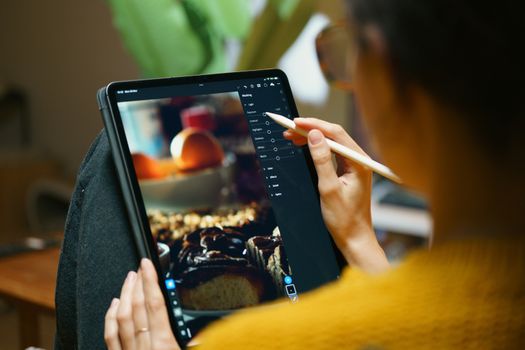
1. Adobe Lightroom Mobile (iOS & Android)
- Why it's a game-changer: If you're serious about your photos, Lightroom Mobile is non-negotiable. By October 2025, its AI capabilities will be even more refined, offering one-tap enhancements that are surprisingly intelligent. What makes it stand out is its non-destructive editing (meaning your original photo is always safe), powerful selective adjustments, and the ability to sync with its desktop counterpart if you have a Creative Cloud subscription.
- My Experience: I remember shooting a series of street portraits in Hoi An, Vietnam, on a particularly overcast day. The light was flat, and the vibrant colors of the lanterns and local attire were muted. With Lightroom Mobile, I could easily boost the saturation of specific colors using the HSL (Hue, Saturation, Luminance) tool, selectively brighten faces, and apply a custom preset I’d created earlier. The difference was night and day – from dull and dreary to warm and inviting.
- Key Features for 2025: Expect even smarter auto-adjustments, enhanced cloud synchronization for seamless workflow across devices, and potentially more advanced generative AI tools for minor object removal or background manipulation directly within the mobile app. Its extensive preset library (both built-in and custom) remains a cornerstone, allowing you to achieve a consistent aesthetic across all your travel photos.
- Cost: Free for basic features; Adobe Creative Cloud subscription ($9.99/month for Photography Plan) unlocks premium features, cloud storage, and desktop sync.
2. Snapseed (iOS & Android)
- Why it's a game-changer: Google's Snapseed is the unsung hero of mobile editing. It's completely free, incredibly powerful, and surprisingly intuitive. Its unique 'brushes' and 'selective' tools allow for precise local adjustments that rival desktop software.
- My Experience: On a recent trip through the Italian Dolomites, I captured some breathtaking mountainscapes. However, the sky often looked a bit washed out, and certain rock formations were in deep shadow. Snapseed's 'Tune Image' and 'Selective' tools became my best friends. I could tap on the sky, reduce its brightness, increase saturation just in that area, and then do the same for the shadowed peaks, bringing out incredible detail without affecting the rest of the image. Its 'Healing' tool is also fantastic for quickly removing small distractions like power lines or stray tourists – a lifesaver in crowded spots like the Trevi Fountain in Rome!
- Key Features for 2025: While Snapseed might not get as many flashy AI updates as its competitors, its core strength lies in its robust, precise manual controls. Expect continued reliability and perhaps subtle UI refinements to make its powerful tools even more accessible. Its 'Perspective' tool is also invaluable for correcting skewed architectural shots.
- Cost: Free. Completely free. No hidden costs, no subscriptions. A true gem!
---
Unleash Your Inner Artist: Creative & Niche Apps for Unique Styles
Sometimes, you want more than just 'corrected' photos. You want 'styled' photos. These apps are perfect for injecting personality, creating specific moods, or tackling niche editing challenges.
3. VSCO (iOS & Android)
- Why it's a game-changer: VSCO is synonymous with aesthetic filters and a curated, artistic vibe. It’s not just about making a photo look good; it’s about making it feel a certain way. By October 2025, VSCO will likely have expanded its already impressive library of film-inspired presets, offering even more nuanced looks.
- My Experience: For a series of photos I took in the charming, cobbled streets of Paris, I wanted a timeless, slightly melancholic feel. VSCO's 'C' series presets (e.g., C1, C2) or the 'A' series (e.g., A6) were perfect. They gave my images that beautiful, muted film look, enhancing the mood without oversaturating the colors. It’s excellent for creating a cohesive feed, especially if you have a specific visual brand. I also love their recipe feature, allowing you to save your favorite adjustments and apply them consistently.
- Key Features for 2025: Beyond its iconic presets, expect VSCO to lean further into community features, advanced video editing capabilities (with a focus on stylistic grading), and potentially new tools for creative overlays or light leaks that mimic traditional film photography. Their robust suite of basic editing tools also ensures you have full control beyond just filters.
- Cost: Free for basic filters and tools; VSCO X subscription ($29.99/year) unlocks the full preset library, advanced editing tools, and video editing.
4. PicsArt (iOS & Android)
- Why it's a game-changer: If you're into collages, stickers, drawing, double exposures, or truly transforming your photos into digital art, PicsArt is your playground. It’s less about subtle corrections and more about bold creative expression.
- My Experience: I used PicsArt extensively when I was creating travel diaries and collages for my blog, especially after a vibrant trip to Tokyo. I wanted to capture the chaotic energy and sensory overload. I combined multiple photos, added pop-art stickers of ramen bowls and cherry blossoms, and even used their 'Magic Effects' to give some images a painterly quality. It's incredibly fun and allows for a level of artistic freedom that other apps don't offer. It’s also fantastic for quick background removal and adding text overlays that stand out.
- Key Features for 2025: PicsArt is already heavily invested in AI. Expect even more sophisticated AI tools for background removal, object replacement, and generative fill. Their sticker and template libraries will continue to expand, offering endless possibilities for creative edits, potentially incorporating AR elements for real-time photo enhancements.
- Cost: Free for many features; PicsArt Gold subscription ($4.66/month, billed annually) unlocks premium tools, effects, and removes ads.
---
The AI Revolution: Smart Editing for the Future
This is where things get really exciting! Artificial Intelligence has fundamentally changed how we edit photos, making complex tasks incredibly simple and often producing results that would have taken hours for a professional just a few years ago. By October 2025, AI will be an even more integrated and indispensable part of our mobile editing workflow.
5. Lensa AI / PhotoRoom (iOS & Android)
- Why they're game-changers: While different in their primary functions, both Lensa and PhotoRoom leverage powerful AI to perform incredible feats. Lensa became famous for its 'Magic Avatars' but its core photo editing capabilities, especially for portraits, are top-notch. PhotoRoom, on the other hand, is a master of background removal and object isolation.
- My Experience: I’ve used Lensa to quickly enhance portraits of locals I’ve photographed (with permission, of course!) during my travels. Its 'Magic Correction' can subtly smooth skin, brighten eyes, and balance tones in seconds, making subjects look their best without looking overly retouched. For my product photography (e.g., showcasing local crafts or food), PhotoRoom is indispensable. On a trip to Mexico City, I was featuring some beautiful artisanal textiles. PhotoRoom allowed me to instantly remove the cluttered hotel background and replace it with a clean, professional-looking backdrop, making the textiles pop. It’s like having a portable photo studio in your pocket.
- Key Features for 2025: Expect Lensa to further refine its portrait enhancement AI, potentially offering more creative AI filters and style transfers. PhotoRoom will likely introduce even more sophisticated background generation, intelligent object shadows, and perhaps even AI-driven scene reconstruction to perfectly match your subject to a new environment. The ability to quickly create professional-grade marketing material directly from your phone will be paramount.
- Cost: Lensa offers a free trial; subscription required for full features (around $29.99/year). PhotoRoom has a robust free tier; Pro subscription (around $9.49/month) unlocks high-res exports, batch editing, and more templates.
6. Photoshop Express / Generative Fill (iOS & Android / Web-based)
- Why it's a game-changer: While Photoshop Express offers a more streamlined version of its desktop big brother, the real buzz by October 2025 will be around the integration of generative AI features, similar to what we see in the full desktop Photoshop. Imagine removing an entire building from your shot and having the AI intelligently fill in the background, or extending the canvas of your photo with new, AI-generated content.
- My Experience: I was recently in Venice, trying to capture the iconic gondolas. But there was always a rogue tourist boat or a distracting sign. While the full generative fill isn't fully mobile yet, I've used beta versions on the web that are mind-blowing. Imagine being able to select that distracting element on your phone and have the AI seamlessly remove it, intelligently filling in the water and buildings behind it. Photoshop Express already offers excellent healing brushes and content-aware fill for smaller objects, but the future promises even more power. It’s a game-changer for reclaiming "ruined" shots.
- Key Features for 2025: Expect generative fill capabilities to become more accessible on mobile devices, either directly within Photoshop Express or via seamless web integration. This will allow for complex object removal, background expansion, and even object addition with incredible realism, making impossible shots possible.
- Cost: Photoshop Express is free; premium features and generative AI access may require an Adobe Creative Cloud subscription.
---
The Rise of Video: Editing Apps for Travel Reels & Stories
In October 2025, if your travel content isn't moving, it's probably not getting seen. Short-form video (Reels, TikToks, YouTube Shorts) is king, and you need tools that can keep up.
7. CapCut (iOS & Android)
- Why it's a game-changer: CapCut isn't just an app; it's a phenomenon. It's incredibly user-friendly, packed with trendy effects, transitions, and a vast music library, all designed for social media virality.
- My Experience: After a whirlwind trip through Bali, I had hours of stunning drone footage and phone clips. I needed to condense it into a dynamic 30-second Reel. CapCut made it effortless. Its auto-cut feature intelligently syncs clips to music, and its array of transitions (like the trendy 'smooth zoom' or 'glitch effect') made my video feel professional and engaging. I could add text overlays, adjust color grades, and even use its green screen feature to layer myself into my drone shots! It's the ultimate tool for quick, impactful travel videos.
- Key Features for 2025: Expect CapCut to continue dominating the short-form video space with even more AI-driven editing, smarter auto-captioning, real-time voice translation for global content, and an ever-expanding library of trending sounds and templates. Its collaboration features might also become more robust for team content creation.
- Cost: Free, with in-app purchases for premium effects or templates.
8. InShot (iOS & Android)
- Why it's a game-changer: InShot is a fantastic all-rounder for both video and photo editing, but it truly shines in its video capabilities, offering more granular control than CapCut for those who want a bit more manual adjustment.
- My Experience: When I needed to create a slightly longer, more narrative-driven travel vlog segment from my Amazon rainforest adventure, InShot was my go-to. It allowed me to precisely trim clips, adjust audio levels for narration versus background music, add keyframe animations for text, and apply more subtle color grading to match the lush green environment. Its intuitive timeline and robust export options make it perfect for crafting high-quality content that feels polished.
- Key Features for 2025: InShot will likely improve its AI object tracking, offer more advanced audio editing tools, and integrate more sophisticated color grading options, bringing it closer to desktop-level functionality for mobile video creators.
- Cost: Free with watermarks; InShot Pro subscription ($3.99/month or $34.99/year) removes watermarks, ads, and unlocks all features.
---
Beyond the Basics: Advanced Tips & Workflow for Travelers
Having the apps is one thing; using them effectively is another. Here are my pro tips for elevating your travel photography game:
- Shoot in RAW (if your phone allows): Many newer smartphones (especially flagships) offer a RAW shooting mode. This captures far more data than a standard JPEG, giving you immense flexibility in editing, especially when correcting exposure and color. It's like having a digital negative.
- Develop a Consistent Style: Look at your favorite travel accounts. They usually have a cohesive visual style. Experiment with presets (Lightroom, VSCO) or develop your own 'recipe' of adjustments. This makes your feed look professional and recognizable.
- Batch Editing is Your Friend: If you’ve taken 50 photos of the same sunrise, don't edit them one by one. Apply your favorite preset or a set of adjustments to one, then copy and paste those settings to the others. Both Lightroom Mobile and Snapseed excel at this.
- Master Selective Adjustments: This is the secret sauce. Instead of applying a filter to the entire image, learn to use brushes, radial filters, and gradient filters (available in Lightroom and Snapseed) to adjust specific areas. Brighten a face, darken a distracting background, or enhance the colors of a specific object.
- Don't Over-Edit: The goal is to enhance, not to create an entirely new reality (unless that's your artistic intention!). Keep it natural. Over-saturation and excessive clarity can make photos look artificial and dated.
- Backup, Backup, Backup: Your travel memories are precious. Use cloud services (Google Photos, iCloud, Dropbox, Adobe Creative Cloud) to automatically back up your photos and edited versions. Imagine losing those epic shots from your Patagonia trek!
---
Future-Proofing Your Feed: What's Coming in 2025 and Beyond?
The pace of innovation in mobile photography and editing is staggering. By October 2025, we can expect:
- Hyper-Realistic Generative AI: Beyond simple object removal, AI will be able to create entirely new elements, extend landscapes with believable detail, and even generate specific lighting conditions to match your vision. Imagine taking a photo on a cloudy day and telling the AI to make it a golden hour sunset!
- Real-time AR Filters & Lenses: Augmented Reality will become more sophisticated, allowing for real-time adjustments and creative overlays directly through your camera viewfinder, not just after the fact. Think instant, location-aware filters that enhance a specific landmark.
- Deeper Integration with Social Platforms: Expect editing apps to offer even more seamless direct publishing, with AI-driven suggestions for hashtags, captions, and optimal posting times based on your content.
- Personalized AI Assistants: Your editing apps might learn your style and preferences, offering personalized suggestions and even automating parts of your workflow based on your past edits.
---
Your Travel Memories Deserve to Shine!
In October 2025, there's no excuse for dull travel photos. The tools are more powerful, more intuitive, and more accessible than ever before. From the comprehensive powerhouses like Lightroom Mobile and Snapseed to the creative playgrounds of VSCO and PicsArt, and the groundbreaking AI capabilities of Lensa and generative fill, you have everything you need to transform your travel memories into breathtaking visual stories.
I’ve seen firsthand how a little bit of editing magic can turn a forgotten snapshot into a cherished piece of art that truly captures the essence of an adventure. So, download these apps, experiment, play, and don't be afraid to push the boundaries of your creativity. Your next viral travel photo is just a few taps away!
Which of these apps are you most excited to try on your next adventure? Share your favorite editing tips or apps in the comments below! And don't forget to tag @Tripsora and #TripsoraTravelPics on Instagram with your transformed photos – we can't wait to see your masterpieces!
---
More pictures
Tags
Share this guide
We may earn a commission if you click a link and buy a product or service, at no extra cost to you. How affiliate links work.
Been there?