
Ever found yourself staring at a "No Internet" message in paradise? We've all been there. This post dives into the cutting-edge internet backup solutions currently trending, ensuring you stay productive and connected no matter how far off the beaten path your adventures take you. Get ready to banish your Wi-Fi worries for good!
The year was 2018. I was perched on a rickety wooden balcony overlooking the lush rice paddies of Ubud, Bali. The air was thick with the scent of incense and tropical flowers, and my laptop was open, ready to send off a critical client proposal due in T-minus two hours. Suddenly, the Wi-Fi icon flickered, then vanished. Poof. Gone. My heart sank faster than a stone in the nearby river. Hours of work, a looming deadline, and absolutely no way to connect. I frantically tried my phone's hotspot, but the local SIM card was throttling data. I ran to the nearest café, then another, only to find their internet equally unreliable. That day, I missed my deadline, felt a hot flush of embarrassment, and swore I would never let unreliable internet derail my remote work again.
Fast forward to today, and my internet backup strategy is as meticulously planned as my travel itinerary. The world of remote work has evolved, and with it, the innovative solutions designed to keep us connected, even in the most far-flung corners of the globe. If you're a digital nomad, a remote worker, or just someone who craves the freedom of working from anywhere, then listen up. These are the internet backup solutions that are trending right now, ready to be your digital lifeline.
The Foundation: Smart Hotspots, eSIMs, and the Power of Your Pocket
Let's start with the essentials, the agile warriors in your connectivity arsenal. These solutions are often your first line of defense against dodgy hostel Wi-Fi or unexpected outages.
1. The Mighty Mobile Hotspot (Your Phone & Dedicated Devices): Your smartphone is likely your most accessible hotspot, but relying solely on it can drain your battery faster than a smoothie on a hot day. That's where dedicated mobile hotspots come in. Devices like the GlocalMe G4 Pro or Skyroam Solis X have been game-changers for years, but the latest iterations are faster, more reliable, and often support more bands. They essentially act as a portable router, letting you connect multiple devices.
- Why it's trending: Newer models offer better battery life, faster 5G capabilities, and smarter global SIM technology. Brands are also integrating VPN features and power bank functionalities.
- My take: I always carry a dedicated hotspot. On a recent trip through the Greek Islands, when the ferry's Wi-Fi was nonexistent and my phone signal weak, my GlocalMe device, loaded with a regional data package, provided a stable connection for an urgent video call from the deck. It felt like magic.
- Practical Tip: Research which device supports the most global bands for the regions you frequent. Look for "unlocked" devices that allow you to insert your own local SIMs for better rates.
- Cost: Devices range from $100-$300. Data plans vary widely, from pay-as-you-go bundles (e.g., $10-$30 for 1GB-5GB) to monthly unlimited plans (e.g., $50-$100, often with speed caps after a certain threshold).
2. The eSIM Revolution: Your Digital SIM Card: Physical SIM cards are rapidly becoming a relic of the past, especially for travelers. eSIMs (embedded SIMs) allow you to download and activate data plans digitally, often within minutes, without swapping tiny plastic cards. Services like Airalo, Nomad, and Holafly are leading this charge.
- Why it's trending: The sheer convenience is unparalleled. You can buy a data plan for virtually any country or region from your phone, activate it instantly, and switch between plans without ever touching a physical SIM tray. This is particularly useful for short stops or when you need a backup right now.
- My take: eSIMs saved me in Switzerland. Arriving late, all phone stores were closed. Within 10 minutes of landing, I had a 10GB Airalo plan active on my phone, navigating public transport and finding my Airbnb with ease. No more frantic searches for SIM card kiosks!
- Practical Tip: Check your phone's compatibility (most newer iPhones and Android flagships support eSIMs). Always download the app and set up an account before you leave, so you're ready to buy a plan the moment you land.
- Cost: Extremely flexible. Regional plans can be as low as $5 for a few GB for a week, up to $30-$50 for larger, longer-term plans.
Conquering the Remote: Satellite Internet on the Go with Starlink Roam
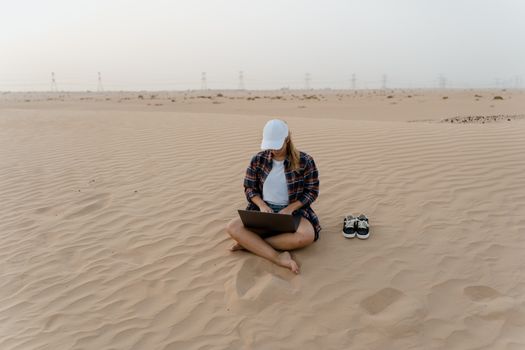
This is the big gun, the solution that has truly revolutionized remote work in previously unreachable locations. If you're dreaming of working from a mountain cabin in Patagonia, a sailboat in the Caribbean, or an RV deep in the desert, Starlink Roam (formerly Starlink RV) is your answer.
- Why it's trending: SpaceX's Starlink constellation of low-Earth orbit satellites provides high-speed, low-latency internet in areas where traditional broadband and even mobile signals are non-existent. The "Roam" service specifically allows you to take your dish anywhere within the same continent, offering unprecedented freedom.
- My take: While I haven't personally hauled a Starlink dish up a mountain (yet!), I’ve seen countless fellow nomads and adventure travelers rave about it. Imagine camping in the Canadian Rockies, miles from civilization, and streaming 4K video or doing a perfectly clear video conference. It's truly transformative for those who venture far beyond the grid. The setup is surprisingly straightforward, and the speeds are often better than what many get at home.
- Practical Tip: Be aware of the hardware's size and power requirements. The dish (lovingly nicknamed "Dishy McFlatface") isn't tiny, and it needs a consistent power source (a beefy power bank or generator is essential for off-grid use). Also, ensure you understand the regional limitations of the Roam service. It's not truly global yet for continuous movement.
- Cost: The hardware is a significant upfront investment, typically around $599 USD. The monthly service fee for Roam is approximately $150 USD, though prices can vary by region. This is a premium solution for premium needs.
The Strategic Layers: Local SIMs, Co-working Spaces, and Multi-SIM Routers
Beyond the immediate tech, a smart backup strategy involves understanding local resources and investing in more robust, multi-layered solutions.
3. The Savvy Traveler's Secret: Diverse Local SIM Cards: While eSIMs are fantastic, sometimes a local physical SIM card from a major carrier offers the best speeds, data allowances, and pricing, especially for longer stays. The real trick? Having two local SIMs from different providers.
- Why it's trending: It's not about new tech, but smart strategy. Different carriers have different coverage maps and network strengths. If one goes down, or has poor signal in a specific area, the other might pick up the slack.
- My take: In Vietnam, I learned this the hard way. My primary Viettel SIM was blazing fast in Hanoi but surprisingly patchy in a remote village near Sapa. Luckily, I had bought a cheap Mobifone SIM as a backup, which saved my bacon when I needed to upload photos for a client. It's a small investment for massive peace of mind.
- Practical Tip: Upon arrival, buy a SIM from the dominant carrier, then consider a second from a competitor. Always ask about "tourist SIMs" or data-only packages. Keep a small SIM ejector tool handy!
- Cost: Often incredibly cheap, from $5-$20 for significant data packages (10GB-30GB) valid for a month in many Asian and developing countries.
4. The Urban Oasis: Co-working Spaces & Cafes with Redundancy: When all else fails, or you need a truly stable environment for an important meeting, reliable physical locations are your best friend.
- Why it's trending: Co-working spaces have exploded globally, offering not just desks but also professional-grade internet, often with multiple ISPs for redundancy, backup power, and a community. Many cafes are also stepping up their game.
- My take: During a particularly brutal monsoon season in Medellín, Colombia, my Airbnb’s internet was constantly cutting out. My local co-working space, Selina CoWork, not only had rock-solid fiber optic internet but also a generator that kicked in instantly during power cuts. It was my sanctuary for productivity.
- Practical Tip: Research co-working spaces or highly-rated cafes with "fast Wi-Fi" before you arrive in a new city. Check reviews for mentions of internet stability and backup power. Many co-working spaces offer day passes for $10-$25.
- Cost: Day passes for co-working spaces typically range from $10-$30. A coffee and reliable Wi-Fi at a good cafe might cost $3-$7.
5. The Pro's Choice: Portable Wi-Fi Routers with Multi-SIM Support: For the truly dedicated digital nomad who needs enterprise-level reliability, devices like the Netgear Nighthawk M6 Pro or advanced Cradlepoint routers are the ultimate solution. These aren't just hotspots; they're sophisticated portable networks.
- Why it's trending: These devices often feature multiple SIM card slots, allowing them to automatically switch to the strongest signal or failover to a different carrier if one connection drops. They also support Wi-Fi 6E or even Wi-Fi 7 (when available) for faster local connections and better security features.
- My take: I've seen these used by professional photographers and videographers on location shoots in remote areas. They need to upload massive files, and any downtime is costly. While overkill for many, if your livelihood absolutely depends on continuous, high-speed connectivity, these are worth the investment.
- Practical Tip: Understand the technical specifications. These devices are more complex but offer unparalleled control over your mobile network. Consider if you need features like Ethernet ports, external antenna support, or advanced VPN capabilities.
- Cost: Expect to pay $300-$800 for the hardware, plus your chosen data plans.
The Future is Now: Emerging Tech and What's Next
Connectivity is an ever-evolving landscape. While Wi-Fi 7 is primarily about local network speed, its integration into future mobile hotspots will mean even faster, more efficient portable internet. We're also seeing more competition in the Low Earth Orbit (LEO) satellite internet space, with players like OneWeb and Amazon's Project Kuiper poised to challenge Starlink, potentially leading to more affordable and widespread satellite options. The continued rollout of 5G globally will also make mobile hotspots even more powerful and ubiquitous. Keep an eye on these developments; your next internet backup solution might just be around the corner.
Putting It All Together: Your Personalized Internet Backup Strategy
No single solution fits everyone. The best approach is a layered strategy tailored to your travel style, work needs, and budget.
- Assess Your Needs:
- How critical is constant internet? (Client calls, deadlines vs. casual browsing)
- What kind of data do you need? (Light browsing, email vs. video calls, large file transfers)
- How remote do you go? (City hopping vs. off-grid adventures)
- What's your budget? (One-time hardware vs. recurring data costs)
- Build Your Layers (Example):
- Layer 1 (Everyday Backup): Your smartphone's hotspot + an active eSIM plan (e.g., Airalo) for your current region.
- Layer 2 (Reliable Redundancy): A dedicated mobile hotspot (e.g., GlocalMe) with a separate data plan or a second local physical SIM from a different carrier.
- Layer 3 (Emergency Failsafe): Knowledge of reliable co-working spaces or cafes in your area, or for extreme remote work, a Starlink Roam setup.
- Don't Forget Power!
- All these devices are useless without power. Invest in a high-capacity power bank (20,000mAh+ is a good start) capable of charging laptops and multiple devices.
- For truly off-grid adventures, consider a portable solar panel charger or a portable power station (like Jackery or Goal Zero) to keep your Starlink dish and other gadgets juiced.
- Always Research Ahead:
- Before you arrive in a new country, research the best local mobile carriers, their coverage maps, and data plan options.
- Check for local co-working spaces or "Wi-Fi cafes" with good reviews.
My journey from that panicked day in Bali to my current multi-layered internet strategy has been a testament to how crucial connectivity is for the modern traveler. It's not just about work; it's about staying connected with loved ones, accessing critical information, and truly embracing the freedom that remote work offers.
So, ditch the Wi-Fi anxiety. Embrace the trending tech. Build your ultimate internet backup solution and unlock a world where your office truly can be anywhere. Where will you work from next? Share your favorite internet backup tips in the comments below!
More pictures




Tags
Share this guide
We may earn a commission if you click a link and buy a product or service, at no extra cost to you. How affiliate links work.
Been there?