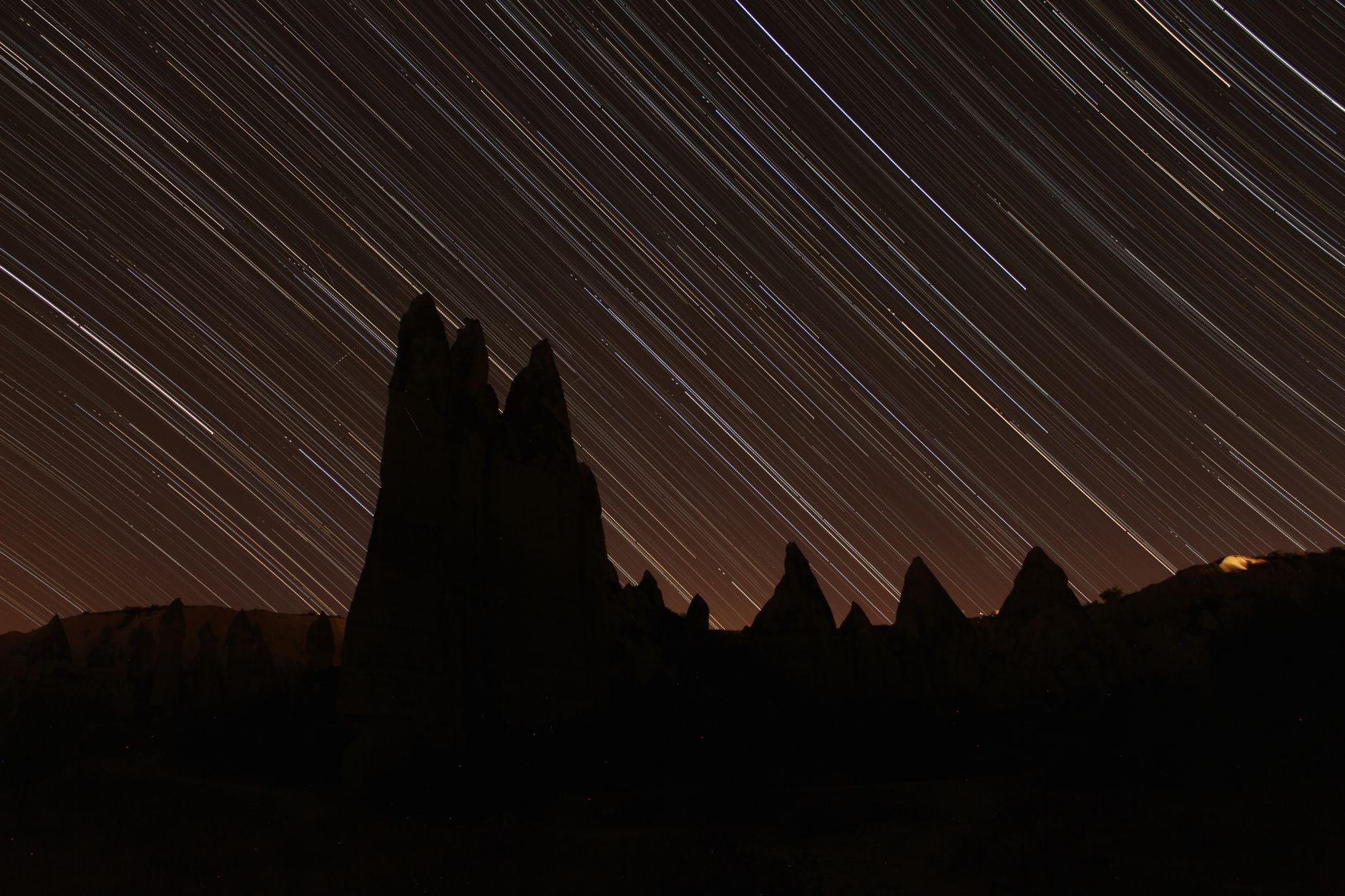
Ready to transform your December 2025 travels into mesmerizing cinematic stories? This guide will equip you with everything you need to capture stunning time-lapse videos, from essential gear and expert settings to incredible post-production techniques. Get ready to freeze time and share the magic of your adventures like never before! ---
Remember that one time, standing amidst the bustling Christmas markets of Vienna, the air crisp with the scent of roasted chestnuts and spiced wine, when I wished I could just… pause it all? Not just a still photo, but to truly bottle the vibrant energy, the swirling snow, the twinkling lights, and the joyful blur of humanity into a single, captivating moment? That’s the magic of time-lapse video, my fellow globetrotters. And let me tell you, there is no better time to master this art than during your December 2025 travels.
Last year, I tried to capture the sunrise over a snow-dusted Prague skyline. I set up my camera, shivering but determined, only to realize halfway through that my battery was draining at an alarming rate in the sub-zero temperatures. Rookie mistake! But every challenge is a lesson learned, and it taught me the importance of preparation, patience, and a little bit of foresight. That's why I'm here today, to share all my hard-won wisdom so your December 2025 time-lapse adventures are nothing short of spectacular. Forget blurry, shaky phone videos; we're talking cinematic, shareable masterpieces that will make your friends gasp and hit that 'save' button faster than you can say "winter wonderland."
Why December 2025 is Your Time-Lapse Golden Ticket
December isn't just a month; it's a mood, a spectacle, a sensory overload that practically begs to be captured in time-lapse. Think about it:
- Winter Wonderland Aesthetics: Snowfall transforming landscapes, frost glittering on ancient architecture, misty mornings giving way to crisp, clear days. These are prime ingredients for breathtaking time-lapses. Imagine the slow descent of snow over the Canadian Rockies or the ethereal fog lifting from a Scottish loch.
- Festive Lights & Bustle: Christmas markets across Europe (Nuremberg, Strasbourg, Vienna!), New York City’s dazzling holiday displays, Tokyo’s vibrant illuminations – these scenes are made for time-lapse. Capture the ebb and flow of crowds, the twinkling lights switching on, or the mesmerizing patterns of ice skaters.
- Dramatic Light & Shorter Days: With shorter days, you get more opportunities to capture those coveted golden and blue hours without losing too much sleep. The low angle of the winter sun creates long, dramatic shadows and a soft, diffused light perfect for atmospheric shots. Plus, early sunsets mean earlier chances for starry night sky time-lapses!
- Unique Travel Experiences: From bustling ski resorts to cozy cabin getaways, December travel offers distinct narratives. A time-lapse can tell the story of a day on the slopes, the building of a snowman, or the cozy transformation of a bustling café as evening falls.
December 2025 will be brimming with these visual feasts. Don't just witness them; capture them in a way that truly brings them to life.
Your December 2025 Time-Lapse Arsenal: Gear Up, Globetrotter!
Before you even think about hitting that record button, you need the right tools. Investing in good gear is crucial for stable, high-quality time-lapses. Here’s what I’ll be packing for my December 2025 adventures:
- The Camera Body:
- Mirrorless Marvels: My go-to is my trusty Sony Alpha A7 IV (or its 2025 successor – hopefully with even better battery life!). Canon's R series (like the Canon EOS R5) and Nikon's Z series (e.g., Nikon Z6 II) are also fantastic choices. They offer excellent image quality, in-body stabilization (useful for general video, less so for time-lapse, but good to have), and often have built-in intervalometers.
- DSLR Dynamos: If you're still rocking a Canon 5D Mark IV or Nikon D850, they're perfectly capable too, especially if paired with an external intervalometer.
- Smartphone Superpowers (for the casual adventurer): Don't underestimate the power of your phone! The latest models (e.g., iPhone 17 Pro Max, Samsung Galaxy S25 Ultra – anticipating future releases!) come with incredible cameras and built-in time-lapse modes. While they offer less control, they're fantastic for quick, spontaneous shots. Just ensure you have a sturdy phone tripod adapter.
- Lenses for Every Scene:
- Wide-Angle Wonder (16-35mm f/2.8 or f/4): Essential for landscapes, cityscapes, and capturing the vastness of a scene. My Sony 16-35mm GM rarely leaves my bag.
- Versatile Zoom (24-70mm f/2.8): A great all-rounder for street scenes and more detailed shots.
- Prime Power (e.g., 50mm f/1.8 or 35mm f/1.4): For low-light situations like starry night time-lapses or isolating specific elements with beautiful bokeh.
- The Indispensable Tripod: This is non-negotiable. A stable, sturdy tripod is the backbone of any good time-lapse.
- Travel-Friendly Options: Look for lightweight carbon fiber tripods that pack down small. Brands like Peak Design Travel Tripod, Manfrotto BeFree Advanced, or Gitzo Traveler Series are excellent, though they can range from $150 to $600+. A good one is an investment that will last years.
- Personal Anecdote: I once tried to prop my camera on a wobbly trash can in Rome for a sunset shot. The resulting "time-lapse" looked like an earthquake. Never again!
- Intervalometer (Timer Remote):
- Many modern mirrorless cameras have built-in intervalometers. If yours doesn't, an external one (like a JJC TM-A or Vello ShutterBoss) is a must-have. They typically cost $20-$50.
- Power Up! (Batteries & Power Banks):
- Cold weather devours battery life. Carry at least 3-4 spare batteries for your camera.
- A high-capacity USB-C power bank (e.g., Anker PowerCore, 20,000mAh+) is crucial for charging camera batteries (if your camera supports USB charging) and keeping your phone alive. Expect to pay $50-$100.
- High-Capacity, Fast SD Cards: Time-lapses generate hundreds, if not thousands, of photos. You need cards that can keep up. Look for UHS-II V90 cards (e.g., SanDisk Extreme Pro, Lexar Professional) with at least 128GB capacity.
- ND Filters: Neutral Density filters reduce the amount of light entering your lens, allowing for longer shutter speeds in bright conditions. This creates a beautiful motion blur in your time-lapse, making movement (like clouds or water) smoother and more cinematic. A variable ND filter (e.g., PolarPro Peter McKinnon Variable ND) is super convenient.
- Weather Protection: A rain cover (or even a plastic bag!) for unexpected snow or rain, and a lens cloth to wipe away moisture.
Freeze Time, Frame by Frame: Mastering Settings & Techniques
Now that you're geared up, let's talk about how to actually capture those breathtaking sequences.
- Manual Mode is Your Best Friend:
- Why? Auto modes will constantly adjust exposure, leading to a "flickering" effect in your final video. Set everything manually!
- White Balance (Manual/Kelvin): Set it to a fixed value (e.g., 5500K for daylight, 3200K for tungsten lights) to avoid color shifts.
- ISO: Keep it as low as possible (e.g., ISO 100-400) to minimize noise, especially in bright conditions. For night time-lapses, you'll need to go higher (ISO 1600-6400).
- Aperture: Choose an aperture that gives you the desired depth of field. For landscapes, f/8 to f/11 is often good for sharpness throughout the scene. For night skies, wider apertures like f/2.8 or f/4 are necessary to gather enough light.
- Shutter Speed: This dictates how much motion blur you get. A good rule of thumb is the "180-degree rule": your shutter speed should be roughly half your interval time. So, if your interval is 2 seconds, your shutter speed should be around 1 second. For smoother motion, you might go even longer (e.g., 1.5 seconds).
- Interval Selection: The Heartbeat of Your Time-Lapse:
- This is the time between each photo your camera takes. Choosing the right interval is crucial for the pacing of your final video.
- Fast-Moving Subjects (Crowds, Traffic, Fast Clouds): 1-3 seconds. (e.g., a bustling Christmas market in Cologne, Germany).
- Slower-Moving Subjects (Sunrise/Sunset, Slower Clouds): 5-10 seconds. (e.g., the sun setting over the snowy peaks of Banff, Canada).
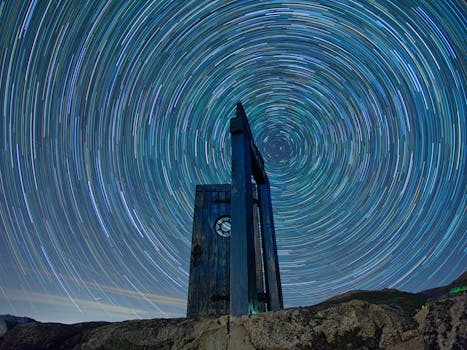
- Very Slow Subjects (Stars, Plant Growth): 15-30 seconds (or longer). For stars, your shutter speed will likely be as long as your interval (e.g., 20s shutter, 20s interval).
- How many photos? Aim for at least 300-500 photos for a decent 10-20 second time-lapse (at 24-30 frames per second). So, 500 photos at a 5-second interval means 2500 seconds (41 minutes) of shooting. Plan accordingly!
- Exposure Ramping (The "Holy Grail" Time-Lapse):
- This technique is for capturing scenes where light changes dramatically, like sunrise or sunset. You gradually adjust your exposure settings (shutter speed, ISO, or aperture) throughout the sequence.
- Software like LRTimelapse automates this process beautifully in post-production, but you can also do it manually with a bit of practice.
- My first "Holy Grail" attempt: I was trying to capture the sunrise over the Matterhorn in Switzerland. I thought I could just let the camera do its thing. Big mistake! The sky went from pitch black to blinding white in my images. LRTimelapse saved my bacon, but it taught me to respect the dynamic range of a winter sunrise!
- Composition & Storytelling:
- Don't just point and shoot. Apply photographic principles: Rule of Thirds, leading lines, foreground interest.
- Think about what story you want to tell. Is it the quiet awakening of a city, the frenetic energy of a market, or the majestic sweep of natural beauty?
- Cold Weather Considerations (Crucial for December!):
- Battery Drain: As mentioned, cold kills batteries. Keep spares in an inside pocket close to your body heat.
- Condensation: When bringing your cold camera indoors, put it in a sealed plastic bag before entering to allow it to warm up slowly and prevent condensation from forming inside.
- Gloves: Touchscreen-compatible gloves are a lifesaver!
- Protect Your Gear: Use a rain cover or even a plastic bag to shield your camera from snow and sleet.
December 2025 Destinations & Dreamy Time-Lapse Scenarios
Let's get specific! Here are some ideas for where to point your lens in December 2025:
- European Christmas Markets (Germany, Austria, Czech Republic):
- Scenario: Set up your tripod overlooking a bustling market square (e.g., Rathausplatz in Vienna or Marienplatz in Munich).
- What to capture: The flow of people, steam rising from Glühwein stalls (expect to pay €4-6 for a mug), festive lights turning on as dusk falls, perhaps even a Ferris wheel spinning.
- Interval: 1-3 seconds for crowds, 5-10 seconds for light transitions.
- Canadian Rockies (Banff, Jasper):
- Scenario: Find a viewpoint overlooking a frozen lake (like Lake Louise) or a majestic mountain range.
- What to capture: Clouds drifting over snow-capped peaks, sunrise/sunset painting the sky, maybe even a distant aurora borealis if you're lucky! (A gondola ride up Sulphur Mountain in Banff might cost around CAD $50-60 for stunning views).
- Interval: 5-10 seconds for clouds/light, 15-30 seconds for stars/aurora.
- New York City Holiday Lights:
- Scenario: Position your camera overlooking Rockefeller Center, Times Square, or a busy avenue.
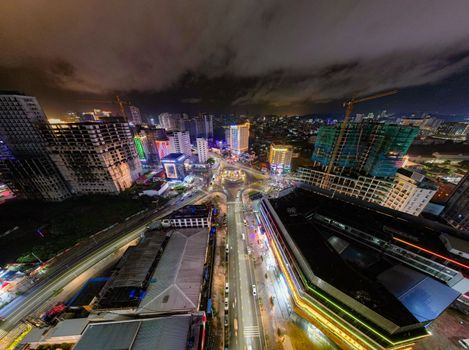
- What to capture: The iconic Christmas tree being lit, the frantic energy of Times Square traffic and neon signs, pedestrians bustling through snowy streets.
- Interval: 1-3 seconds for traffic/crowds.
- Kyoto, Japan (Winter Illuminations/Temples):
- Scenario: Visit a temple like Kiyomizu-dera during a winter illumination event, or capture the quiet serenity of a snow-dusted garden.
- What to capture: The intricate play of light and shadow on ancient architecture, people slowly moving through sacred spaces, or the delicate dance of snowflakes.
- Interval: 3-7 seconds.
- Desert Landscapes (e.g., Wadi Rum, Jordan or Arizona, USA):
- Scenario: Head out to a remote desert spot for unparalleled night sky views.
- What to capture: Star trails, the Milky Way moving across the sky, sunrise over dramatic rock formations. (A desert camp stay might range from $50-150/night).
- Interval: 20-30 seconds for stars.
The Magic After the Click: Post-Production Perfection
Capturing the images is only half the battle. The real magic happens in post-production, transforming thousands of individual photos into a smooth, cinematic video.
- Software Essentials:
- Adobe Lightroom Classic: For processing your RAW images. Its batch editing capabilities are a lifesaver.
- LRTimelapse: Absolutely essential for "Holy Grail" time-lapses (exposure ramping) and de-flickering. It integrates seamlessly with Lightroom. A Pro license costs around €280, but it’s worth every penny.
- Adobe Premiere Pro / After Effects: For assembling your image sequence into a video, adding music, stabilization, and final touches. DaVinci Resolve (free version available) is also an excellent alternative.
- Your Post-Production Workflow:
- Import & Cull: Get all your photos into Lightroom. Quickly go through and delete any clearly bad shots (e.g., blurry, obstructed).
- Develop (Batch Edit): Select one "hero" image from your sequence and adjust exposure, white balance, contrast, highlights, shadows, and color grading. Then, apply these settings to all the other images in the sequence.
- De-flicker (LRTimelapse): This is crucial. Even with manual settings, slight variations in light can cause your time-lapse to "flicker." LRTimelapse excels at smoothing this out.
- Export as Image Sequence: Export your edited photos from Lightroom (via LRTimelapse if used) as high-quality JPEGs or TIFFs.
- Assemble in Video Editor: Import the image sequence into Premiere Pro or After Effects. Set the frame rate (24fps or 30fps are standard).
- Stabilize (If Needed): If there's any slight camera movement (even on a tripod, wind can cause micro-shakes), use the Warp Stabilizer in Premiere Pro/After Effects.
- Color Grade & Sound Design: Enhance the colors to match the mood (e.g., cool blues for winter, warm tones for festive lights). Add royalty-free music that complements your video's narrative. Sound effects (like distant bells or falling snow) can add another layer of immersion.
- Export: Export your final video in a high-quality format (e.g., H.264, 4K resolution if your source allows).
My Editing Revelation: The first time I saw a raw, flickering sequence transform into a smooth, cinematic masterpiece after running it through LRTimelapse and Premiere Pro, I felt like a wizard. It's truly where the magic happens, turning individual moments into a flowing story.
Share Your Masterpiece: Go Viral with Your December 2025 Time-Lapse!
You’ve put in the work, now it’s time to share your incredible December 2025 time-lapse with the world!
- Platform Power:
- Instagram Reels/TikTok: Create short, punchy, vertically oriented versions (15-60 seconds) with trending audio. These are fantastic for quick engagement and virality.
- YouTube: Upload longer, cinematic versions (1-3 minutes) with professional music. This is where your detailed storytelling shines.
- Facebook/Personal Blog: Share your videos with a compelling caption, detailing your experience, gear used, and tips.
- Hashtag Heaven: Use a mix of broad and niche hashtags: #December2025 #TimeLapseTravel #WinterWonderland #TravelVideo #CinematicTravel #[YourDestination] #PhotographyTips #TripsoraTimeLapse (don't forget ours!).
- Engaging Captions: Don't just post the video. Tell the story behind it! Where was it taken? What was the challenge? Ask questions to encourage comments ("What's your favorite winter destination?").
- Music Matters: Choose royalty-free music that evokes emotion and matches the pace of your video. Artlist.io and Epidemic Sound are great subscription services. For Reels/TikTok, use their built-in trending audio.
- Tagging & Collaborations: Tag the location, any brands of gear you used, local tourism boards, and fellow travel creators. You never know who might share your work!
- Optimize for Sharing: Make sure your video is high quality, visually stunning, and has a clear message. A strong hook in the first few seconds is vital to prevent scrolling past.
Imagine your time-lapse of a snowy European market or a vibrant NYC street lighting up the feeds of thousands, inspiring them for their own adventures. That's the power of a well-executed, well-shared time-lapse.
Your December 2025 Time-Lapse Adventure Awaits!
There’s something uniquely satisfying about taking thousands of individual moments and weaving them into a seamless narrative that compresses time itself. It allows us to see the world in a new, accelerated way, revealing patterns and beauty that are invisible to the naked eye.
December 2025 is just around the corner, brimming with incredible opportunities to create these captivating visual stories. So, dust off your camera, charge those batteries (and then charge them again!), and start planning your next time-lapse adventure. Embrace the cold, revel in the festive spirit, and let your creativity flow.
I can't wait to see what magic you create! Share your December 2025 time-lapse masterpieces with us on social media using #TripsoraTimeLapse and tag @TripsoraOfficial. Who knows, your video might just be featured on our next blog post! Happy time-lapsing!
---
More pictures
Tags
Share this guide
We may earn a commission if you click a link and buy a product or service, at no extra cost to you. How affiliate links work.
Been there?