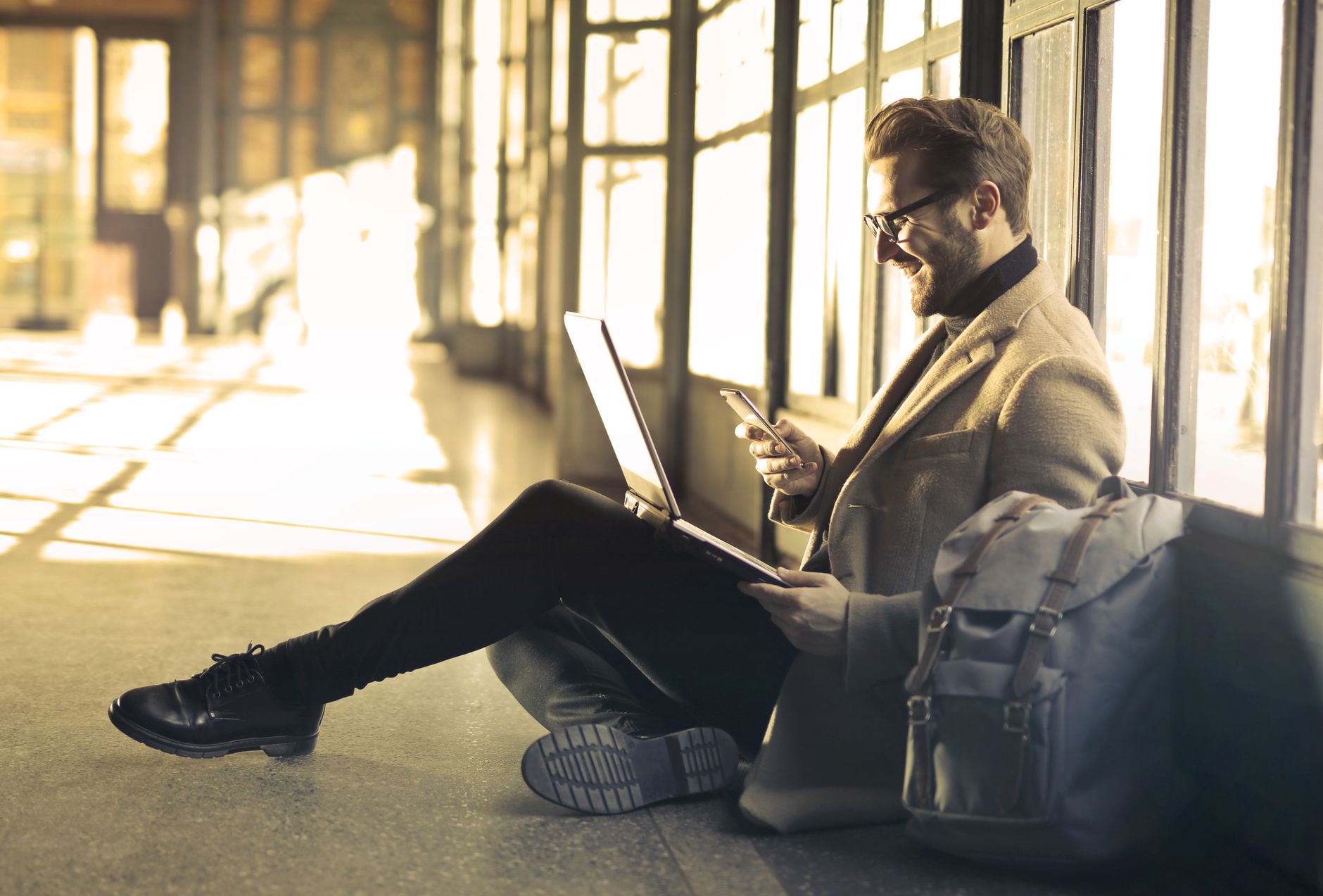
Ever struggled to find a decent spot to work while traveling? We've cracked the code on creating a powerful, portable workspace that fits in your backpack, unlocking productivity in the most unexpected places. Get ready to discover the "secret" spots locals cherish and the gear that transforms any corner into your perfect office. ---
The gentle hum of a distant scooter, the aroma of freshly brewed coffee mingling with tropical humidity, and the soft murmur of conversations in a language I barely understand. This was my "office" one sweltering afternoon in Canggu, Bali. My laptop screen glowed, a half-finished article staring back at me, while my noise-canceling headphones valiantly fought the battle against a particularly enthusiastic rooster. I was trying to meet a deadline, but the constant distractions and the sheer discomfort of hunching over a tiny café table were chipping away at my sanity.
Sound familiar?
For years, I believed the digital nomad dream meant sacrificing comfort and efficiency for the freedom of the road. I’d lug my laptop from one noisy café to another, my shoulders aching, my eyes strained, and my productivity plummeting faster than a dropped durian. I’d watch locals effortlessly glide through their day, seemingly unbothered, while I, the tourist, struggled to find even a quiet corner.
Then, a chance encounter in a tranquil, unassuming tea house in Kyoto changed everything. Tucked away on a quiet side street, far from the bustling tourist hordes, I found a cozy nook. A local woman, impeccably dressed, was quietly working on a slim tablet, an ultra-compact keyboard at her fingertips, and a tiny, almost invisible earpiece. The air was serene, the Wi-Fi surprisingly robust, and the matcha latte, heavenly. It hit me: there was a different way to work on the road. A way that locals, who need to get things done without the tourist hustle, intuitively knew.
This wasn't about finding a fancy co-working space (though those have their place). This was about crafting a backpack-friendly workspace that was so adaptable, so efficient, and so discreet, you could set it up almost anywhere – and locals wouldn't even bat an eye. They certainly wouldn't want you to know about their quiet havens, but lucky for you, I’ve spent years perfecting the art of the stealth office.
So, buckle up, fellow wanderers. We're about to dive deep into the world of minimalist yet mighty mobile offices, revealing the gear, the hacks, and the "secret" spots that will revolutionize your remote work journey.
Section 1: The Nomad's Arsenal – Crafting Your Ultra-Portable Powerhouse
Forget lugging around a bulky monitor or a desktop tower. The key to a successful backpack workspace is strategic minimalism. Every item must earn its place, offering maximum utility for minimum footprint. Here's what goes into my essential kit:
- The Brain (Your Laptop/Tablet): This is obvious, but consider its size and weight. A 13-inch MacBook Air or a high-end ultrabook (like a Dell XPS 13 or HP Spectre x360) offers the perfect balance of power and portability. For even lighter loads, a powerful iPad Pro with a Magic Keyboard can be a game-changer for many tasks. My current go-to is a 13-inch M2 MacBook Air – feather-light, silent, and battery that lasts forever.
- The Second Screen (Portable Monitor): This is where many remote workers struggle. But a portable monitor, powered by a single USB-C cable, is an absolute revelation. I swear by my 15.6-inch ASUS ZenScreen. It weighs just under 2 pounds and slips into my laptop sleeve. Having that extra screen real estate for coding, editing, or even just having Slack open while I write is a productivity multiplier. Prices range from $150-$350, a worthy investment.
- The Ergonomic Enhancers (Keyboard & Mouse): The built-in laptop keyboard and trackpad are fine for short bursts, but for hours of work, they're a recipe for wrist pain.
- Keyboard: I use a compact 60% mechanical keyboard (Keychron K2 is a popular choice, but I prefer a smaller, flatter travel-specific one like the NuPhy Air60). It connects via Bluetooth, has a great typing feel, and is barely thicker than my phone.
- Mouse: A compact, ergonomic Bluetooth mouse is crucial. I once swore by a tiny travel mouse, but after a week in Lisbon editing photos, my wrist was screaming. Now, I use a Logitech MX Anywhere 3S – it’s compact but still offers great ergonomics and tracks on almost any surface.
- The Sound Sanctuary (Noise-Canceling Headphones/Earbuds): This is non-negotiable. Whether it's the chatter of a café, the roar of a bus, or a barking dog, active noise-canceling (ANC) headphones are your personal productivity bubble. Bose QC series or Sony WH-1000XM series are industry leaders, but even compact ANC earbuds like the AirPods Pro or Sony WF-1000XM5 are incredibly effective. I often pair my Sony XM4s with a "coffee shop ambiance" playlist for maximum focus.
- Power Up (Portable Charger & Universal Adapter): A high-capacity power bank (20,000mAh or more, capable of charging your laptop via USB-C) is your lifeline. I carry an Anker 737 Power Bank – it's chunky but can recharge my MacBook Air almost twice. And a universal travel adapter with multiple USB ports (including USB-C PD) is essential for any international adventure. Don't cheap out here; a bad adapter can fry your gear.
- Connectivity King (Portable Hotspot/Local SIM): Relying on public Wi-Fi is a gamble. A portable Wi-Fi hotspot (like a GlocalMe device) or simply tethering from a local SIM card (which is often incredibly cheap in Southeast Asia or parts of Europe) ensures you're always connected. In Thailand, a tourist SIM with unlimited data for a month can be as little as 300-500 THB ($8-14 USD).
Section 2: Beyond the Café – Unearthing the "Secret" Work Havens
This is where the "locals don't want tourists to know" really comes into play. It's not about being secretive or sneaky; it's about finding places that locals frequent for peace, productivity, and genuine atmosphere, away from the tourist traps.
- The Tranquil Libraries: In almost every major city, public libraries offer free, quiet, and reliable Wi-Fi. Many have beautiful architecture and dedicated study areas. In Kyoto, I once found a municipal library near the Imperial Palace that had soundproofed individual study booths – a godsend during a particularly intense editing session. In Valencia, Spain, the Biblioteca Pública de Valencia offered stunning views and absolute silence. Just be mindful of local library etiquette; usually, it means whisper-quiet.
- The Hidden Parks & Botanical Gardens: With a fully charged power bank, a good data plan, and a comfortable portable cushion, a quiet corner of a park can be incredibly inspiring. I’ve written entire articles from a bench overlooking the Seine in Paris (away from the main tourist paths, of course), and edited photos by a serene lake in Pokhara, Nepal, where the only distractions were the chirping birds and the distant Himalayas. Look for areas with less foot traffic or designated quiet zones.
- The Unassuming Local Cafés/Tea Houses: Forget the Starbucks and the Instagram-famous spots. Seek out the small, family-run establishments a few blocks off the main drag. In Lisbon's Alfama district, I stumbled upon a tiny pastelaria that served incredible coffee and had just two small tables in a quiet corner. The owner, a sweet elderly lady, didn't mind me working for hours, especially after I ordered a second coffee and a pastel de nata. These places often have surprisingly good Wi-Fi and a more authentic vibe.
- Hostel Common Areas (Strategic Selection): Not all hostel common areas are created equal. Avoid the party hostels. Look for boutique hostels or those catering to older travelers/digital nomads. Many now offer dedicated co-working spaces or quiet lounges. In Medellín, Colombia, I stayed at a hostel that had a rooftop terrace with hammocks and power outlets, offering stunning views and a breeze – perfect for an afternoon's work. Always check reviews for "quiet" and "good for working."
- Museum Cafés (Post-Rush Hour): Many museums have lovely cafes that are bustling during peak hours but become wonderfully quiet an hour or two before closing. The Wi-Fi is often decent, and the atmosphere is usually more refined than a typical street café. I once finished a project in the café of the Rijksmuseum in Amsterdam, enjoying a quiet coffee after the crowds had dispersed.
- University Campuses: Many university campuses have open libraries or student centers with public access (or easily accessible guest Wi-Fi). They're usually well-equipped with power outlets and a studious atmosphere. Just blend in, respect the students, and you'll find a productive haven.
Section 3: Ergonomics on the Go – Saving Your Body While Chasing Horizons
Working remotely shouldn't mean sacrificing your posture or developing chronic pain. Even with a minimalist setup, you can prioritize ergonomics.
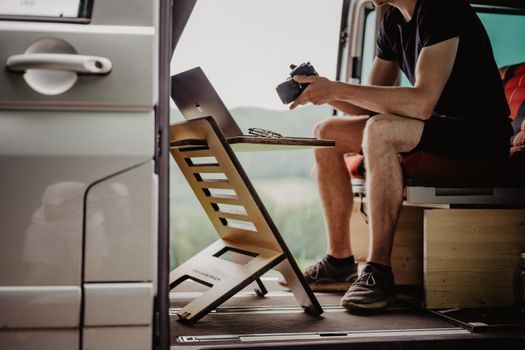
- The Laptop Stand (Mini Version): A tiny, foldable laptop stand elevates your screen to eye level, preventing neck strain. Mine folds flat to the size of a ruler and weighs mere ounces. Pair it with your external keyboard and mouse, and suddenly, you have a much more comfortable setup. Look for brands like Roost Stand or a generic aluminum foldable stand.
- Posture Awareness: Even with the best gear, regular breaks are vital. Set a timer for 25-minute work sprints (Pomodoro technique), then take a 5-minute break to stretch, walk around, or just look away from the screen.
- Finding the Right Seat: This is often the biggest challenge. Prioritize a chair with back support if possible. If you're on a bench or a hard chair, use a rolled-up jacket or a small travel pillow for lumbar support.
- Lighting Matters: Position yourself to avoid glare on your screen and ensure adequate lighting for your workspace. Natural light is always best.
Section 4: Power, Connectivity, & Security – The Nomad's Lifelines
You can have the best gear and the most secret spot, but without power and a reliable internet connection, you're just a tourist with a fancy backpack.
- Power Management:
- Always Charge: Charge everything overnight. Your laptop, phone, power bank, headphones – every single device.
- Outlet Scavenging: Become an expert at spotting power outlets. In airport lounges, train stations, and even some public parks, they exist. Carry a small multi-port USB charger.
- Battery Saver Modes: Learn to optimize your laptop and phone settings for maximum battery life. Dim the screen, close unnecessary apps, and use power-saver modes.
- Internet Reliability:
- Local SIM Cards: As mentioned, these are often the cheapest and most reliable option. Research providers before you arrive; check coverage maps.
- E-SIMs: For even more convenience, an eSIM service like Airalo or Holafly allows you to buy data plans for various countries directly from your phone, without swapping physical SIMs.
- VPN (Virtual Private Network): Essential for security, especially when using public Wi-Fi. It encrypts your internet traffic, protecting your data from prying eyes. ExpressVPN or NordVPN are popular, reliable choices.
- Cloud Backup: Always back up your work to the cloud (Google Drive, Dropbox, OneDrive). If your laptop gets lost, stolen, or damaged, your work is safe.
- Digital Security:
- Two-Factor Authentication (2FA): Enable 2FA on all your important accounts.
- Strong Passwords: Use a password manager to generate and store complex, unique passwords.
- Device Security: Keep your laptop and phone locked with strong passwords/biometrics. Consider a physical lock for your laptop if working in a shared space.
Section 5: The Mindset Shift – Productivity in Paradise (or Anywhere Else)
The final, and perhaps most crucial, element of a successful backpack workspace isn't gear or location – it's your mindset.
- Embrace Flexibility: Your "office" will change daily. Some days it'll be a bustling train, others a serene garden. Learn to adapt and find focus amidst varied environments.
- Set Clear Boundaries: It's easy for work and travel to bleed into each other. Designate specific work hours and stick to them. When it's "off-work" time, truly disconnect.
- Batch Your Tasks: If you know you'll have limited Wi-Fi or power, plan offline tasks (writing, editing, brainstorming) for those times. Save data-heavy tasks for when you have a stable connection.
- Mindfulness & Presence: While working, be present with your tasks. When you're exploring, be present with your surroundings. The beauty of the nomad life is the blend, but a successful blend requires intentionality. I often start my day with a 10-minute meditation, especially on travel days, to center myself.
- Respect Local Culture: When working in public spaces, be discreet. Don't spread out your gear excessively. Be mindful of noise levels and local customs. This is why locals don't "want" you to know – they want to preserve the peace of their favorite spots. Be a respectful guest.
Section 6: My Favorite "Secret" Setups & What They Cost
Let me paint a picture of a few real-world scenarios where my backpack office truly shined:
- The Ljubljana Riverbank Office:
- Location: A quiet bench along the Ljubljanica River in Ljubljana, Slovenia, just past the Triple Bridge, near a small, unassuming café.
- Setup: MacBook Air, portable monitor (propped up with a mini stand), Bluetooth keyboard/mouse, noise-canceling earbuds. Tethered to a local SIM.
- Cost: €2 for a coffee from the nearby café. Unlimited data SIM was €15 for a month.
- Vibe: Gentle river flow, distant chatter, fresh air. Perfect for deep work and creative writing.
- The Chiang Mai Temple Courtyard (Respectfully):
- Location: A quiet, shaded corner of a lesser-known temple courtyard in Chiang Mai, Thailand, away from the main worship areas.
- Setup: iPad Pro with Magic Keyboard, AirPods Pro, power bank. Tethered to a local Thai SIM.
- Cost: Free (except for a small donation to the temple).
- Vibe: Utter serenity, the soft clinking of wind chimes, and the occasional monk passing by. Ideal for planning and reflection.
- The Mexican Hacienda Courtyard:
- Location: A small, shaded courtyard within a beautiful, traditional hacienda turned boutique guesthouse in San Miguel de Allende, Mexico.
- Setup: MacBook Air, portable monitor, ergonomic mouse, noise-canceling headphones, universal adapter. Guesthouse Wi-Fi (surprisingly strong!).
- Cost: The cost of my stay at the guesthouse.
- Vibe: Lush greenery, a trickling fountain, and the distant sound of mariachi music. A truly inspiring place for client calls and strategic planning.
These experiences weren't about finding a fancy office; they were about adapting, optimizing, and respecting the local environment.
Conclusion: Your Backpack, Your Office, Your World
The digital nomad lifestyle isn't just about escaping the 9-to-5; it's about reclaiming your autonomy, your productivity, and your sense of adventure. By investing in a smart, minimalist backpack workspace, and by learning to seek out the quiet, authentic corners of the world, you’re not just working remotely – you’re truly living the dream.
No more aching backs, no more struggling with slow Wi-Fi, and no more battling noisy distractions. With these tips, you're equipped to transform any quiet nook, any hidden garden, or any unassuming café into your personal productivity sanctuary. The locals might not want you to know their secrets, but now you're in on them.
What's your ultimate backpack workspace setup? Where's the most unexpected place you've ever gotten serious work done? Share your stories and gear recommendations in the comments below! Let's build a community of efficient, respectful, and wildly productive nomads. And don't forget to share this guide with a fellow wanderer who's tired of the café hustle!
---
More pictures
Tags
Share this guide
We may earn a commission if you click a link and buy a product or service, at no extra cost to you. How affiliate links work.
Been there?