
Ever found yourself stranded without internet, jeopardizing a deadline or a crucial call? For us digital nomads, a reliable connection isn't a luxury – it's our lifeline. Discover the game-changing internet backup solutions that will keep you connected, productive, and truly free to explore the world, no matter how off-grid your adventures take you. ---
Never Go Offline: The Internet Backup Solutions for Remote Work You Need to Experience Before You Die
Picture this: You’re nestled in a charming, rustic Airbnb overlooking the turquoise waters of the Ionian Sea on a tiny Greek island. The sun is setting, painting the sky in fiery hues of orange and purple. You’ve just brewed a strong Greek coffee, your laptop is open, and you’re about to jump on a crucial client call – the one that could land you your biggest contract yet. You click the Zoom link, confident in the local SIM card you bought at the tiny kiosk. And then... nothing. The Wi-Fi icon blinks ominously, and your phone shows 'No Service'. Panic. Sheer, unadulterated, travel-blog-worthy panic.
That, my friends, was me, three summers ago, on the island of Paxos. My dream remote work setup turned into a nightmare in seconds. I fumbled for my emergency hotspot, praying it had charge. It did. And it saved my butt, landing me that contract and a renewed appreciation for internet redundancy.
For us digital nomads, remote workers, and anyone who dares to merge work with wanderlust, a stable internet connection isn't just a convenience; it's the very oxygen of our professional lives. Losing it can mean lost income, missed opportunities, and a whole lot of stress. That's why I'm here to tell you about the internet backup solutions that have become as essential as my passport and my morning coffee. These aren't just gadgets; they're peace-of-mind providers, freedom enablers, and quite frankly, things you need to experience before you die (or at least before your next remote work trip!).
Let's dive into the ultimate arsenal for an uninterrupted digital nomad life.
1. The Dynamic Duo: Dual Mobile Hotspots (eSIMs & Local SIMs)
This is your first, most crucial line of defense. Relying on a single mobile network, even in major cities, is like putting all your eggs in one fragile basket. What if that network goes down? What if your specific location has a dead zone for one provider but not another? My strategy? Always have two.
My Go-To Setup:
- Primary: A local physical SIM card from the country I'm in. This usually offers the best local rates and speeds.
- Secondary/Backup: An eSIM. This is a game-changer for flexibility.
Why eSIMs are a Revelation: eSIMs (embedded SIMs) allow you to download a data plan directly to your compatible phone without needing a physical SIM card. This means you can arrive in a new country, scan a QR code, and have internet within minutes – no hunting for kiosks or fumbling with tiny trays.
- Providers I Trust:
- Airalo: My absolute favorite. They offer plans for almost every country, often with various data packages and durations. I've used Airalo from the bustling streets of Bangkok to the quiet villages of Portugal. Prices vary, but you can usually get 5GB for 30 days for around $10-20, depending on the region.
- Nomad & Holafly: Excellent alternatives with good coverage and competitive pricing. Holafly often specializes in unlimited data plans for specific regions, which can be a lifesaver for heavy users.
Actionable Tip: Before you even land, buy an eSIM for your destination. Activate it when you land. Then, once you're settled, scout for a local physical SIM if it offers better value for your primary connection. This way, you're never truly without data.
Personal Anecdote: I was once on a train from Milan to Venice, trying to upload a huge video file. My Italian physical SIM suddenly decided to take a siesta. I seamlessly switched to my Airalo eSIM, which connected to a different local network, and my upload continued without a hitch. Crisis averted, and I even managed to snap an Instagram story of the stunning Italian countryside. #eSIMLifeSaver
2. The Satellite Savior: When Terrestrial Networks Fail (Starlink & Emergency Comms)
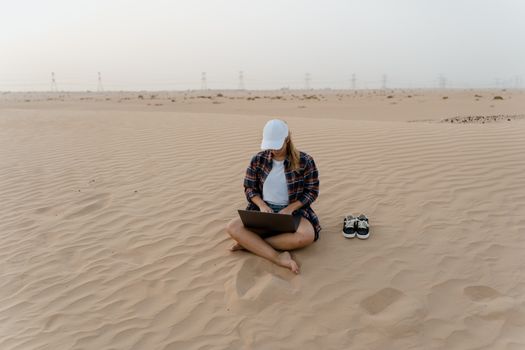
Sometimes, "off-grid" isn't just a vibe; it's your actual location. Think remote cabins, desert adventures, sailing trips, or mountain retreats. This is where satellite internet, once a prohibitively expensive luxury, has become a viable (and increasingly popular) backup.
a) Starlink: The Game-Changer for Remote Internet
Elon Musk's Starlink has revolutionized access to high-speed internet in places where traditional infrastructure simply doesn't exist. For digital nomads, the Starlink Roam (formerly Starlink RV) plan is your best friend.
- How it Works: A portable dish connects to Starlink's constellation of low-orbit satellites, providing surprisingly fast internet.
- Pros for Nomads:
- Portability: You can pause service when not in use and easily move your dish between locations.
- Speed: Often rivals urban broadband speeds, even in the middle of nowhere. I've seen speeds of 100-200 Mbps in remote areas of Patagonia!
- Truly Global: Works almost anywhere with a clear view of the sky.
- Cons:
- Cost: The hardware is an upfront investment (around $599 USD), and the monthly service is significant (around $150 USD/month for Roam, though prices vary by region).
- Power Consumption: The dish needs power, which can be a challenge in truly remote areas (more on power later!).
- Size: The dish isn't tiny. It's portable, but you'll need space in your vehicle or luggage.
- Clear View: Requires an unobstructed view of the sky.
- My Experience: I spent a month working from a custom camper van exploring the Atacama Desert in Chile. My mobile data was non-existent for days. Starlink was my sole connection, allowing me to conduct video calls with clients in Europe and seamlessly upload daily travel vlogs. It felt like cheating. It was glorious.
Actionable Tip: If you're planning extended stays in truly remote areas (think RVing across North America, sailing the Caribbean, or long-term off-grid living), Starlink Roam is an investment that pays for itself in peace of mind and productivity. Check their coverage map before committing.
b) Iridium GO! & Garmin InReach Mini: Emergency Satellite Communication
While Starlink is for full internet, sometimes you just need to send a quick email, check weather, or, in a true emergency, send an SOS. These devices offer a more compact, power-efficient, and often more robust solution for critical communication.
- Iridium GO!: Creates a Wi-Fi hotspot for your smartphone, allowing you to send texts, emails, and make voice calls (at a cost) over the Iridium satellite network. Great for basic comms when completely off-grid.
- Garmin InReach Mini 2: Primarily an emergency satellite communicator, but it also allows two-way text messaging and tracking. It's incredibly small, durable, and has a long battery life. Not for browsing, but for "I need to tell someone I'm okay" or "I need help."
Personal Anecdote: Hiking in the Dolomites, a sudden blizzard rolled in, and my phone lost signal. My Garmin InReach Mini 2 allowed me to text my partner my coordinates and assure her I was safe while I waited for the weather to clear. It’s not just a backup for work; it’s a backup for life.
3. The Local Legend: Co-working Spaces & Cafe Hunting
Sometimes, the best backup is a physical location with a guaranteed stable connection. This isn't just about internet; it's about community, good coffee, and a change of scenery.
- Co-working Spaces: In almost every major digital nomad hub (think Bali, Chiang Mai, Lisbon, Medellín), you'll find a plethora of co-working spaces. These offer reliable, high-speed internet, ergonomic desks, and often, a vibrant community.
- My Favorites:
- Dojo Bali (Canggu, Bali): Incredible internet, pool, great food, and a fantastic network of fellow nomads. Day passes are around $10-15 USD.
- Punspace (Chiang Mai, Thailand): Multiple locations, fast internet, quiet zones, and a very productive atmosphere. Day passes are similar in price.
- Cafes with Wi-Fi: The classic backup. Always have a mental (or physical) list of cafes in your vicinity known for good Wi-Fi.
- Pro Tip: Don't just rely on the Wi-Fi listed on Google Maps. Pop in, buy a coffee, and do a speed test before committing to a long work session. Ask locals for their recommendations!
Personal Anecdote: During a power outage in Mexico City, my entire Airbnb block was dark. No Wi-Fi, no mobile data (due to cell towers being affected). I knew a great cafe a few blocks away, "Cafe Avellaneda," that had a generator and excellent Wi-Fi. I packed my laptop, walked over, enjoyed a delicious coffee, and finished my urgent tasks. Sometimes, old-school solutions are the most reliable.
4. The Hardware Hero: Portable Routers & Signal Boosters
Once you have a data source (e.g., your phone's hotspot or a local SIM), you can optimize its performance with smart hardware.
a) Portable Wi-Fi Hotspots (MiFi Devices)
These dedicated devices take a SIM card (or have an embedded global SIM) and create a Wi-Fi network, just like your phone's hotspot, but often with better battery life, stronger signal, and the ability to connect more devices.
- Brands to Look For:
- GlocalMe: Offers various devices that use virtual SIM technology, meaning you don't need a physical SIM in many countries. You buy data packages through their app. Prices for devices range from $100-200.
- Skyroam Solis X: Similar concept, often touts "unlimited" data (though usually throttled after a certain amount).
- Huawei/Netgear Mobile Hotspots: These are more traditional MiFi devices where you insert your own local SIM card. They often have better antennas and can pull a stronger signal than your phone.
Actionable Tip: If you travel with multiple devices (laptop, tablet, secondary phone) or with a partner/family, a dedicated portable hotspot can be more efficient and save your phone's battery.
b) Wi-Fi Signal Boosters & External Antennas
These are for when you have some signal, but it's weak. They won't create a signal out of nothing, but they can amplify a faint one.
- For Mobile Data (Cellular Boosters): Devices like those from WeBoost can significantly improve your 4G/5G signal, especially useful if you're working from a camper van or a remote cabin with patchy service. They are usually vehicle-mounted or require an external antenna.
- For Wi-Fi (USB Wi-Fi Adapters with Antennas): If your Airbnb Wi-Fi is just out of reach or very weak, an external USB Wi-Fi adapter with a high-gain antenna can sometimes pick up a stronger signal than your laptop's built-in antenna.
Personal Anecdote: I was once in a beautiful but sprawling Airbnb in Sardinia. The Wi-Fi router was in the living room, but my ideal workspace was on the patio, just out of range. A small, inexpensive USB Wi-Fi adapter with an external antenna was all it took to pull in a strong enough signal to work outdoors, enjoying the Mediterranean breeze. It was a simple fix, but made all the difference.
5. The Software Shield: Offline Tools & Cloud Sync
The best internet backup isn't always hardware; sometimes, it's about being prepared for no internet. This means having a robust workflow that can function offline.
- Offline Access for Cloud Tools:
- Google Drive/Docs/Sheets: Enable offline access for critical files. You can edit documents, spreadsheets, and presentations without an internet connection, and they'll sync automatically once you're back online.
- Microsoft Office (Desktop Apps): If you use Word, Excel, PowerPoint, ensure you have the desktop versions installed and that your files are saved locally (and regularly backed up to the cloud when online).
- Evernote/Notion: Both offer excellent offline capabilities for note-taking and project management.
- Local File Storage: Always have local copies of your most critical files on your laptop or an external SSD. Cloud storage is fantastic, but don't let it be your only storage.
- Email Clients with Offline Mode: Most desktop email clients (like Outlook or Apple Mail) download emails to your computer, allowing you to compose replies offline that will send when you reconnect.
- VPN (Virtual Private Network): While not an internet backup, a VPN is essential for security, especially when hopping between public Wi-Fi networks. It encrypts your data, protecting you from snooping eyes. My go-to is ExpressVPN.
Personal Anecdote: I was on a 12-hour bus ride through Laos, with absolutely no signal. I had a blog post deadline. Thanks to having my draft documents set for offline access in Google Docs and a few research articles downloaded as PDFs, I was able to write, edit, and even outline my next few posts without a single byte of internet. The moment I hit a town with Wi-Fi, everything synced perfectly. It felt like a superpower.
6. Powering Your Prowess: Portable Power Banks & Solar Chargers
What's the point of having all these fantastic internet backup solutions if they run out of juice? Power is the silent, often overlooked, hero of remote work.
- High-Capacity Power Banks: A must-have. Look for ones with at least 20,000 mAh (milliampere-hours) capacity, and ideally, one that supports Power Delivery (PD) for faster charging of laptops and larger devices.
- My Recommendation: Anker PowerCore series. I have a 26,800 mAh Anker that can charge my phone multiple times or give my MacBook Air a significant boost. Prices range from $50-150.
- Laptop Power Banks: Yes, they exist! Larger power banks specifically designed to charge laptops on the go. These are bulkier but invaluable for extended periods away from outlets.
- Portable Solar Chargers: For the truly adventurous or off-grid workers. These panels can charge your power banks or even directly charge smaller devices using the sun's energy.
- Brands: Goal Zero, Jackery, BigBlue.
- Use Case: Perfect for camping, van life, or remote hiking trips where you might be away from electricity for days.
Personal Anecdote: Hiking to a remote mountain hut in Slovenia, I planned to work for a few hours. The hut had no power outlets. My phone, acting as a hotspot, was draining fast. My Anker power bank kept it alive for the entire afternoon, allowing me to finish my client report while surrounded by breathtaking alpine views. That's the freedom a good power backup offers.
My Ultimate Internet Backup Stack (The "Before You Die" Edition)
If you want to be truly unstoppable, here's my personal, battle-tested stack of internet backup solutions:
- Primary Data: Local Physical SIM (best value, fastest speed).
- Secondary Data: Airalo eSIM (instant global backup, different network).
- Emergency/Deep Off-Grid: Starlink Roam (for extended remote stays) OR Garmin InReach Mini 2 (for critical comms/SOS).
- Local Boost: Identified Co-working spaces & Cafes.
- Hardware Helper: A reliable Portable Wi-Fi Hotspot (for multiple devices).
- Power Play: 20,000+ mAh Power Bank + a smaller one.
- Software Safety Net: All critical files enabled for offline access.
This comprehensive approach means that short of a global internet apocalypse, you'll always have a way to connect, work, and explore without limits.
Don't Just Dream It, Live It!
The freedom of remote work is unparalleled, but it comes with the responsibility of being prepared. Don't let a dropped connection derail your dreams or your deadlines. Invest in these internet backup solutions, learn how to use them, and integrate them into your travel tech arsenal.
Imagine the peace of mind: taking that call from a beachfront bungalow in Thailand, uploading your travel vlog from a remote Icelandic campsite, or collaborating with your team from a bustling European city – all knowing you're fully connected and ready for anything.
What's your go-to internet backup solution? Have you had a near-disaster saved by a clever tech hack? Share your stories and tips in the comments below! Let's build the ultimate digital nomad connectivity guide together.
---
More pictures




Tags
Share this guide
We may earn a commission if you click a link and buy a product or service, at no extra cost to you. How affiliate links work.
Been there?