
Remember the days of blurry, forgotten travel photos? I do! This is the story of how a simple phone, a dash of creativity, and a few game-changing techniques transformed my travel memories into Instagram gold, proving you don't need a DSLR to capture magic. ---
From Blurry Memories to Viral Moments: How My Phone Changed My Travel Photography Forever
Oh, the early days of my travel blogging career! I cringe just thinking about it. My camera roll was a graveyard of well-intentioned but utterly disastrous photos. Blurry landscapes, badly lit selfies, food shots that looked more like abstract art than a delicious meal – you name it, I probably botched it. I was lugging around a heavy DSLR that I barely knew how to use, intimidated by its myriad settings, and secretly dreaming of the day I could afford a better lens, a drone, or maybe even a personal photographer. My Instagram feed, once a source of excitement, became a source of quiet despair. How were other bloggers capturing such stunning, vibrant images with seemingly no effort?
Then came my "aha!" moment, ironically, during a trip to the vibrant souks of Marrakech. I’d forgotten my DSLR battery charger (rookie mistake, I know!), leaving me with only my trusty smartphone. Panic set in, quickly followed by a stubborn determination. I had to capture the magic of the bustling markets, the rich colours, the intricate details. With no other option, I started experimenting, pushing my phone’s camera to its limits. What began as a desperate attempt to salvage my content turned into a revelation. I discovered that my phone wasn't just a phone; it was a powerful, pocket-sized camera capable of incredible things. This single trip, fueled by necessity and a newfound curiosity, didn't just change my travel photography; it changed my entire approach to content creation and, honestly, my life. I realized that the best camera isn't the most expensive one; it's the one you have with you, and more importantly, the one you know how to use.
Fast forward a few years, and my phone is still my primary tool for capturing the world. My Instagram feed is now a colourful tapestry of crisp, engaging images that regularly garner thousands of likes and shares. And guess what? I rarely touch that old DSLR anymore. If you're ready to ditch the gear envy and transform your travel photos from forgettable snapshots to Instagram masterpieces, all with the device already in your pocket, then you've come to the right place. Let's unlock your phone's full potential!
1. Master Your Phone's Superpowers: Beyond the Shutter Button
The biggest mistake most people make is treating their smartphone camera like a simple point-and-shoot. Your phone is packed with sophisticated technology designed to help you take incredible photos. You just need to know where to look!
- Clean Your Lens (Seriously!): This might sound ridiculously simple, but it's the number one reason for hazy, blurry photos. Your phone lives in your pocket, your bag, your hands – it picks up smudges, dust, and fingerprints constantly. Before every shot, give your lens a quick wipe with a soft cloth (or even the corner of your t-shirt if you're in a pinch). This alone will elevate your clarity dramatically. I learned this the hard way trying to capture the pristine icebergs in Iceland, only to find my photos had an inexplicable blur – a quick wipe, and suddenly the world was in focus!
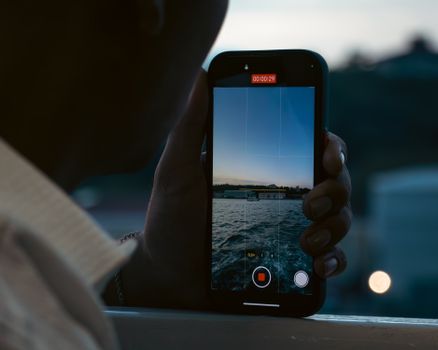
- Embrace the Grid (Rule of Thirds): Go into your camera settings and turn on the grid lines. These lines divide your screen into nine equal sections. The "Rule of Thirds" suggests placing your subject along these lines or at their intersections for a more balanced and visually appealing composition. This simple trick instantly makes your photos look more professional and less "snapshot-y."
- Tap to Focus & Adjust Exposure: Don't just point and shoot! Tap on your screen where your main subject is. This tells your phone where to focus. Often, a small sun icon or slider will appear next to the focus box – drag it up or down to adjust the brightness (exposure). This is crucial for correctly exposing subjects in tricky lighting, like a vibrant sunset or a shaded street market.
- Explore Your Modes: Modern phones have incredible built-in modes:
- HDR (High Dynamic Range): Great for scenes with both bright and dark areas (e.g., a bright sky and a shaded foreground). It takes multiple exposures and merges them to bring out detail in both.
- Portrait Mode: Creates that beautiful blurred background effect (bokeh) that makes your subject pop. Perfect for people, food, or close-up details.
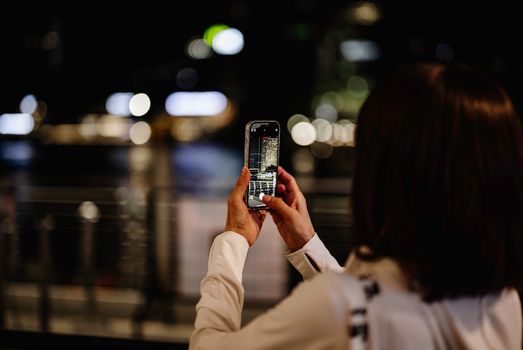
- Night Mode: A game-changer for low-light photography. It takes multiple shots over a few seconds and intelligently stitches them together to create bright, clear night images without flash. I captured the most stunning, vibrant shot of the illuminated Trevi Fountain in Rome using Night Mode – something that would have been a blurry mess otherwise.
- Pro Mode (if available): Allows you to manually adjust settings like ISO, shutter speed, and white balance, giving you DSLR-like control. It's fantastic for specific creative effects once you're comfortable.
2. Composition is King: Framing Your Visual Story
Even with the best camera, a poorly composed photo falls flat. Composition is how you arrange the elements within your frame to create a compelling image. It's about guiding the viewer's eye and telling a story.
- Leading Lines: Look for natural lines in your environment – roads, rivers, fences, building edges, bridges. These lines draw the viewer's eye into and through your photograph, creating depth and movement. Imagine a winding path leading to a distant mountain peak, or the majestic leading lines of the Rialto Bridge in Venice pulling you towards the grand canal.
- Symmetry and Patterns: Our brains are wired to appreciate symmetry and patterns. Look for reflections in water, repeating architectural elements, rows of market stalls, or intricate mosaics. Centering a perfectly symmetrical subject can be incredibly powerful. I once stumbled upon a hidden courtyard in Seville with stunning symmetrical tiling, and a simple centered shot became one of my most loved posts.
- Framing within a Frame: Use natural elements in your surroundings to "frame" your subject. Archways, windows, tree branches, even crowds of people can create a natural border around your main point of interest, adding depth and context. A shot of a bustling street taken through a doorway, for example, instantly adds intrigue.
- Change Your Perspective: Don't just shoot from eye level! Get low to the ground to capture towering buildings or interesting foregrounds. Climb higher for a unique aerial perspective of a cityscape. Shoot through foliage, or from an unusual angle. This makes your photos stand out from the typical tourist snapshots. During a trip to Lisbon, I knelt down to capture the iconic yellow tram from a low angle, making it appear grander against the historic buildings.
- Negative Space: Don't feel the need to fill every inch of your frame. Negative space (empty space around your subject) can highlight your main focus, create a sense of calm, and add artistic flair. Think of a single person silhouetted against a vast, empty desert sky.
3. The Magic of Light: Your Photography's Best Friend
Light is the single most important element in photography. It can make or break a shot. Understanding how to use natural light effectively will instantly elevate your phone photography.
- Golden Hour is Gold: This is the hour after sunrise and the hour before sunset. The light is soft, warm, and creates beautiful long shadows, adding depth and drama. This is when you want to be out shooting those iconic landscapes and portraits. My most cherished photos of the caldera in Santorini, with its whitewashed buildings bathed in a warm glow, were all taken during the golden hour. It’s worth waking up early or staying out late for this!
- Blue Hour's Enchantment: The period just after sunset or just before sunrise, when the sky turns a deep, rich blue. It's perfect for cityscapes, capturing artificial lights against a dramatic, moody sky. The Eiffel Tower twinkling against a deep blue Parisian sky? That's blue hour magic.
- Avoid Midday Sun: The harsh, overhead light around noon creates strong, unflattering shadows and often blows out highlights. If you must shoot at midday, seek out shade or use buildings to create interesting shadow play. This is a great time to focus on street photography in narrow alleys where light is more diffused.
- Use Natural Diffusers: Overcast days are fantastic for photography because the clouds act like a giant softbox, diffusing the light evenly and reducing harsh shadows. This is ideal for portraits, food photography, and detailed architectural shots.
- Backlight for Silhouettes: Position your subject between you and a strong light source (like the setting sun) to create dramatic silhouettes. Make sure your subject has a distinct shape for the best effect. A lone figure against a vibrant sunset is always a powerful image.
4. The Art of the Edit: Where Your Photos Come Alive
Taking the photo is only half the battle. Editing is where you refine your vision and bring out the true potential of your images. And no, you don't need expensive software!
- Essential Free Editing Apps:
- Snapseed (Google): My absolute favourite. It's incredibly powerful yet intuitive. Features like "Selective" adjustments (to brighten just one part of your image), "Healing" (to remove unwanted objects), and "Perspective" (to fix skewed lines) are game-changers.
- Lightroom Mobile (Adobe): A more professional feel, offering granular control over colours, tones, and curves. You can sync presets, too!
- VSCO: Popular for its beautiful film-like filters and subtle editing tools.
- Google Photos / Apple Photos: Your phone's built-in editors are surprisingly robust for basic adjustments.
- The Core Edits (My Go-To Workflow):
- Crop & Straighten: Always the first step. Straighten horizons and use the grid to perfect your composition.
- Exposure: Adjust brightness. Don't overdo it!
- Contrast: Adds punch. A little goes a long way.
- Highlights & Shadows: Recover detail in blown-out bright areas and lift details from dark areas.
- Saturation & Vibrance: Saturation boosts all colours equally; Vibrance boosts less saturated colours more. Use sparingly to avoid unnatural-looking photos.
- Warmth (Temperature): Adjust for warmer (orange/yellow) or cooler (blue) tones.
- Sharpness: A touch of sharpening can make details pop.
- Structure/Clarity: Enhances textures and details without over-sharpening.
- Presets & Filters (Use Wisely): Filters can give your feed a consistent look, but avoid over-filtering. Start with a subtle preset and then make manual adjustments to suit each individual photo. I once applied a generic "bright and airy" filter to a moody shot of a rainy street in London, only to realize I'd stripped it of all its character. Now, I use filters as a starting point, not a final solution.
- Less is More: The goal isn't to create an entirely new image, but to enhance what's already there. Subtle adjustments often yield the best results. Your photo should still feel authentic.
5. Beyond the Selfie: Capturing Moments and Stories
Travel photography isn't just about pretty landscapes; it's about capturing the essence of a place, its people, and its culture. Your phone is perfect for this discreet, candid storytelling.
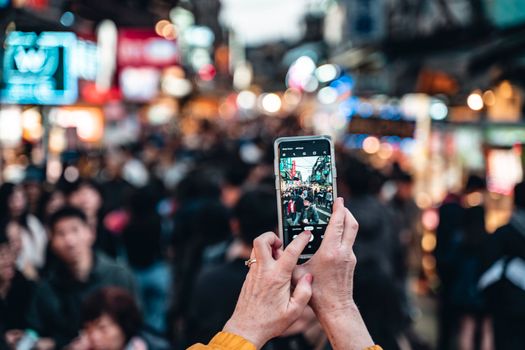
- People Add Life: Don't be afraid to include people in your shots! They add scale, emotion, and a sense of place. Always be respectful – ask for permission if you're taking a close-up portrait. Candid shots of locals going about their daily lives can be incredibly powerful. I'll never forget the vibrant energy of the spice vendors in the Grand Bazaar in Istanbul, and the photos with people in them truly brought that atmosphere to life.
- Focus on the Details: Sometimes the grand vista isn't the most interesting shot. Zoom in on intricate carvings, colourful textiles, a steaming cup of local coffee, or a unique street sign. These details tell a story and add richness to your feed. Think of the delicate patterns on a Moroccan tagine, or the worn textures of ancient cobblestones.
- Tell a Story with a Series: Instead of just one photo, think about a sequence. Capture the preparation of a dish, the stages of a market transaction, or a person performing a craft. This creates a more immersive narrative. Your phone's burst mode is fantastic for capturing action sequences.
- Candid vs. Posed: While posed shots have their place, aim for candid moments. They feel more authentic and often capture genuine emotion. Use your phone's quick draw and silent shutter to your advantage.
- Self-Portraits (No Selfie Stick Needed!): Want to be in the shot without a selfie stick? Use your phone's timer function (usually 3 or 10 seconds) and prop it up on a wall, a rock, or a small tripod. This allows for more natural, full-body shots that capture you in the environment, not just your face.
6. Minimalist Gear & The Mindset Shift: Elevating Your Game
You don't need a heavy camera bag, but a few affordable accessories can significantly expand your phone's capabilities. More importantly, it's your mindset that truly unlocks your potential.
- A Mini Tripod: A small, flexible tripod like a Joby Gorillapod is invaluable. It allows for stable shots in low light (essential for Night Mode!), long exposures (if your phone has a Pro mode or specific app), and hands-free self-portraits. I used my Gorillapod in Iceland to capture stunning, silky long-exposure shots of waterfalls that looked like they were taken with a professional camera.
- Clip-On Lenses (Optional but Fun): While not essential, a good quality clip-on wide-angle or macro lens can add versatility. A wide-angle is great for expansive landscapes or fitting more into a tight space, while a macro lens allows for extreme close-ups of tiny details. Be wary of super cheap ones, as they can degrade image quality.
- Portable Power Bank: Phone photography drains your battery quickly. A reliable power bank is a non-negotiable travel essential. Nothing worse than missing a perfect shot because your phone died!
- The Mindset Shift: See the World Differently: This is perhaps the most crucial "gear." Start looking at the world through a photographer's eye. Notice light, shadows, textures, colours, and lines. What makes a scene interesting? How can you frame it uniquely? Practice, experiment, and don't be afraid to take hundreds of photos. The beauty of digital is you can delete the bad ones! I found myself slowing down, observing more, and appreciating the small details I'd rushed past before. This changed my entire travel experience.
- Practice, Practice, Practice: Like any skill, photography improves with practice. Take photos every day, even when you're not traveling. Experiment with different angles, lighting, and editing techniques. The more you shoot, the better you'll become.
Your Journey to Instagram Gold Starts Now!
My journey from a frustrated amateur to a confident phone photographer has been one of the most rewarding aspects of my travel blogging career. It taught me that creativity, curiosity, and a willingness to learn are far more important than expensive gear. My phone didn't just capture moments; it opened my eyes to the beauty around me in a whole new way, giving me the tools to share my adventures authentically and beautifully with the world.
So, put down that heavy camera bag (or stop dreaming about buying one!), clean your phone lens, and start exploring the incredible capabilities already in your hand. The world is waiting to be captured through your unique lens. Don't just take pictures; tell stories. Don't just document; inspire.
Now it's your turn! What's the one phone photography tip that changed your game? Share your wisdom in the comments below! And when you capture that next Instagram-worthy shot with your phone, make sure to tag @Tripsora and use #TripsoraPhonePhotos so we can celebrate your masterpiece! Happy snapping, fellow adventurers!
---
More pictures
Tags
Share this guide
We may earn a commission if you click a link and buy a product or service, at no extra cost to you. How affiliate links work.
Been there?